Let me guess how you found this post.
It’s your lunch break, or the kids are finally asleep, and you’re thinking about your job and that quiet, familiar heaviness: there has to be more than this.
Friend, I know that feeling. I lived it.
I was sick of the 9-to-5. I never felt comfortable working under a boss, building someone else’s dream on someone else’s schedule. My salary was never quite enough. I wanted my OWN business, a safe future for my family, and the freedom to travel without asking permission for two weeks a year.
So I started a blog with a $17 domain, cheap hosting, a theme I designed myself, and no idea what I was doing. 😅
That blog became Dollar Smart Guides. It started with learning to save (my first $100K, in my mid-20s) and grew into the business I used to daydream about at my desk. But my journey was NOT a straight line. I wasted money on courses. I burned $500 on ads that didn’t work. I nearly quit. Every lesson from that mess is baked into this guide.
This is the post I wish someone had handed me on day one: real steps, real costs, real story. No guru nonsense.
Here’s what you’ll do, in order: pick a niche → name it → set up hosting → design it → add essential pages → write five posts → start Pinterest → start your email list → monetize. Each step ends with a Do this today action, so you’re never stuck wondering what’s next.
⚡ Starting a Blog in 60 Seconds
- Cost: about $3/month for hosting + $10–$20/year for your domain. (I started with a $17 domain and $12/month hosting. That’s it.)
- Setup time: one afternoon.
- Tech skills needed: zero. I designed my first theme myself with a free tool.
- Can beginners make money? Yes, but traffic comes first. I’ll show you exactly how I got mine.
Do this today: Block out three hours this weekend. That’s your whole setup window.
📌 PIN (OR BOOKMARK) THIS PAGE. This is the complete guide, and you’ll want to come back to it at every step.
📩 Free Email Course: Zero to Launched
Want me to walk beside you for the whole setup? My FREE email course takes you from zero to launched, step by step!
📋 In This Guide
+
- The Mindset That Separates Bloggers Who Make It
- Step 1: Pick a Profitable Blog Niche
- Step 2: Name Your Blog + Get Your Domain
- Step 3: Set Up Hosting + WordPress
- Step 4: Design Your Blog (Without Spending a Fortune)
- Step 5: Set Up Your Essential Pages
- Step 6: Plan Your Content + Write Your First Posts
- Step 7: Set Up Pinterest, Your Traffic Engine
- Step 8: Start Your Email List From Day 1
- Step 9: Make Money Blogging
- Honest Money Talk: What It Really Costs + How Long It Takes
- Questions You’re Asking (I Asked Them All Too!)
🧠 Read This Before You Start: The Mindset That Separates Bloggers Who Make It
Bloggers rarely fail because they picked the wrong theme. They fail in their heads first. Five mindset rules:
1. A blog is a real business, not a lottery ticket. I learned this the hard way (the painful story is in Step 8). The day I started treating my blog like a business, with a plan, a schedule, and an audience I was building on purpose, everything changed. A blog you dabble in pays like a hobby. A blog you run like a business pays like one.
2. There is NO perfect recipe. My biggest beginner mistake was buying course after course, hunting for the “perfect recipe.” It doesn’t exist. You understand this system by DOING it. Imperfect action beats a perfect plan sitting in your inbox.
3. The quiet months are normal. You’ll publish and hear crickets. That silence is the toll every blogger pays. Most people quit right before the traffic shows up. Don’t be most people.
4. Don’t compare your month 2 to someone’s year 5. The blogger with 500,000 pageviews also had a month 2. She also cried over a post that got 11 views. You’re not behind. You’re early.
5. Consistency beats intensity. Think of it like a savings account: $25 a week, every week, outgrows one heroic $300 deposit followed by nothing. One good post a week, promoted properly, beats a frantic month followed by burnout.
Do this today: Write down one sentence you’ll reread when it gets quiet: “I’m early, not behind.”
Step 1: Pick a Profitable Blog Niche
Your niche is the topic your blog is about. Choose well and every later step gets easier. Run each idea through this two-part test:
1. Do you know it, love it, or have you LIVED it? Problems you’ve solved, things friends always ask YOUR advice about, topics you could discuss for hours. Readers can smell fake from the first paragraph. Authenticity is your edge.
2. Does it solve a problem people will pay to fix? Blogs make money by helping people save money, cook faster, organize their home, or feel healthier. If your topic connects to products or services people happily buy, you’ve got a profitable niche.
Not sure where you land? These niches work well for women bloggers right now:
- Personal finance: budgeting, saving, debt payoff (hi, that’s me! 🙋♀️)
- Food & recipes: huge on Pinterest. “How to start a food blog” is literally a breakout search right now.
- Mom life & parenting
- Home, cleaning & organization
- Health & wellness
- Crafts & DIY
- Travel
- Beauty & fashion
⚠️ One warning: don’t pick a niche ONLY because it makes money. You’ll write about it every week for years. Pick the overlap of something you love and something readers need.
Do this today: Write down three topics, then score each 1–5 on “I know/love it” and “people would pay to fix this.” Highest combined score wins. No polling friends required.
Struggling to choose? Read my full guide: How to Choose a Profitable Blog Niche (That Actually Makes Money).
Step 2: Name Your Blog + Get Your Domain
Your blog name matters less than you think and more than you’d guess. 😄 Think of your domain as your street address: it’s how people find your front door. Pick one and move on. Do NOT spend three weeks on this (ask me how I know).
- Easy to spell and say out loud. If you have to spell it for people, it’s the wrong name.
- Short and memorable. Two to three words is the sweet spot.
- A .com. It’s what people type by instinct.
- Room to grow. “Sarah’s Knoxville Kitchen” boxes you in. “Sarah’s Kitchen Table” can grow with you.
- Available everywhere. Check the domain AND the same name on Pinterest and Instagram.
A domain (yourblog.com) costs about $10–$20 per year. Mine was around $17. Some hosting plans include it free for the first year (more in Step 3). Most hosts let you choose your exact domain DURING signup, so bring 2–3 name ideas and keep moving.
Do this today: Pick your top three names. Search each as a .com and as a Pinterest username. Take the first one that’s free in both places.
Need ideas? Steal some: How to Name Your Blog + 50 Blog Name Ideas.
Step 3: Set Up Hosting + WordPress (The Tech Part, Easier Than You Think)
Deep breath. This step scares beginners most, and it feels easiest once it’s done.
Why WordPress, and Why Pay for Hosting?
WordPress powers 39.6% of ALL websites on the internet. “Self-hosted” WordPress (the wordpress.org kind, not wordpress.com) means YOU own your blog: your content, your rules, your income. A free platform is like opening your shop inside someone else’s mall. They can change the rent, add their branding to your work, limit how you earn, and technically hold the keys. Your blog is a business asset. Own it. 🔑
My Hosting Pick for Beginners: Hostinger
When you’re starting, low cost matters, and Hostinger’s beginner plan is genuinely good:
- Premium plan: $2.49/month introductory price (48-month term, paid upfront). That’s less than one fancy coffee to own your business address on the internet ☕
- FREE domain for your first year on annual plans
- FREE SSL certificate (the padlock that makes your site look safe and professional)
- 30-day money-back guarantee
💡 What most “how to start a blog” posts WON’T tell you, because they want the sale: $2.49 is an intro price. At renewal it goes to about $10.99/month, roughly 36 cents a day. Still worth it? In my opinion, yes. By renewal time your blog should be earning far more than that. But you deserve the real numbers BEFORE you buy. That’s how we do things here. 🙂
For comparison, I paid $12/month for hosting and about $17 for my domain when I started, with zero idea what I was doing. You’re already ahead of me.
Your Setup, Step by Step
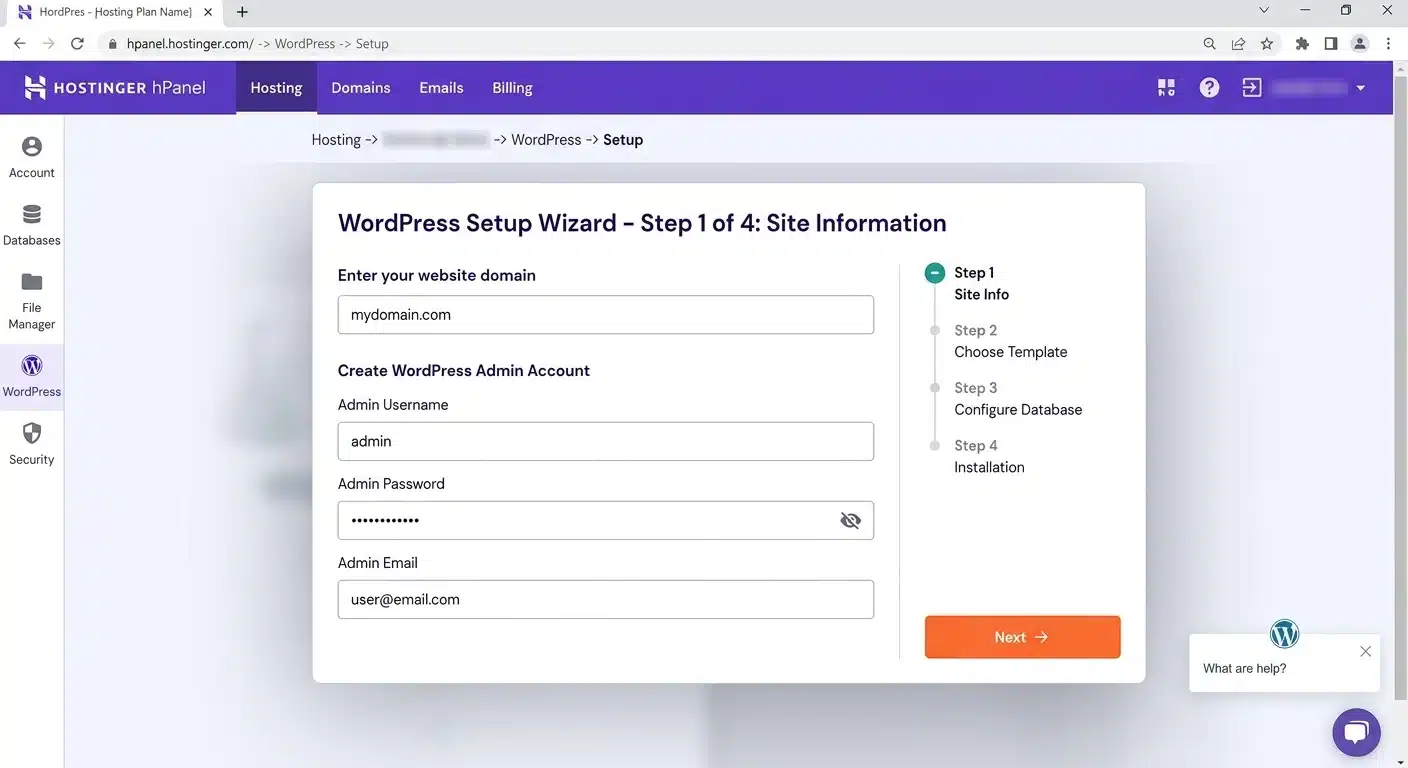
- Go to Hostinger and choose the Premium plan.
- Pick your term. A longer term means a lower monthly price, and even 12 months gets you the free domain.
- Create your account and claim your free domain name.
- Check out. Skip the add-ons, you don’t need them yet.
- Install WordPress with Hostinger’s one-click installer.
- Confirm your SSL certificate is active (padlock on = good).
That’s it. You officially own a blog. 🎉 Screenshot your empty WordPress dashboard. One day you’ll look back at it the way I look back at mine.
Do this today: Complete steps 1–6 above. Before you pay, compare the monthly price at renewal against your budget so there are no surprises.
Step 4: Design Your Blog (Without Spending a Fortune)
Confession: when I started I had no budget for a fancy theme, so I designed my own in Elementor, the free version. It was FINE. Your first readers come for your words, not your website’s outfit. 💅
Elementor is a free drag-and-drop page builder used by about a third of all WordPress sites. Build a clean blog with the free version and upgrade later (Pro starts at $60/year) once your blog earns. Pretty enough to launch beats perfect and unpublished.
Install these FREE plugins on day one. Plugins are add-ons that give your blog extra abilities. I use the first two myself:
| Plugin | What It Does |
|---|---|
| Rank Math | Your SEO helper. Tells you how to make each post Google-friendly (free, used by 4M+ sites) |
| LiteSpeed Cache | Makes your blog load fast, which readers and Google both love (free) |
| WPForms (or similar) | Contact form so readers and brands can reach you |
| Wordfence (or similar) | Security — your blog’s bodyguard |
| UpdraftPlus (or similar) | Backups — insurance for your hard work |
Your starter stack costs exactly $0. Resist plugin overload: every extra plugin can slow your site. Five solid ones beat twenty random ones.
Do this today: Install Elementor (free) and the five plugins above. Stop there. Don’t fiddle with fonts tonight.
Step 5: Set Up Your Essential Pages
These pages are the furniture of your blog’s home. Set them up before you write a single post.
📝 About Page
This is where readers decide whether to trust you. Tell the real story: why you started, and what you’ve lived through that qualifies you to help. (My About page includes the struggles. Vulnerability builds trust faster than perfection.)
📬 Contact Page
A simple form plus your email. Brands and readers MUST be able to reach you.
⚖️ Legal Pages: Do NOT Skip These
Most beginner guides breeze past this. Your blog needs a Privacy Policy, a Disclaimer, and Terms & Conditions, because the moment you collect emails or earn affiliate income, the law has opinions. 😅 Free legal-page generators often miss what YOUR blog actually does. Proper blogger-specific templates are worth buying once you’re earning. Until then, get a real privacy policy live before you collect a single email address.
Do this today: Draft your About page in 20 minutes using three prompts: Where was I stuck? What changed? What can I now teach?
Working through setup? My 10 Things to Do BEFORE You Launch Your Blog checklist covers all of this in order. Print it and tick things off.
Step 6: Plan Your Content + Write Your First Blog Posts 📝
Now the fun part.
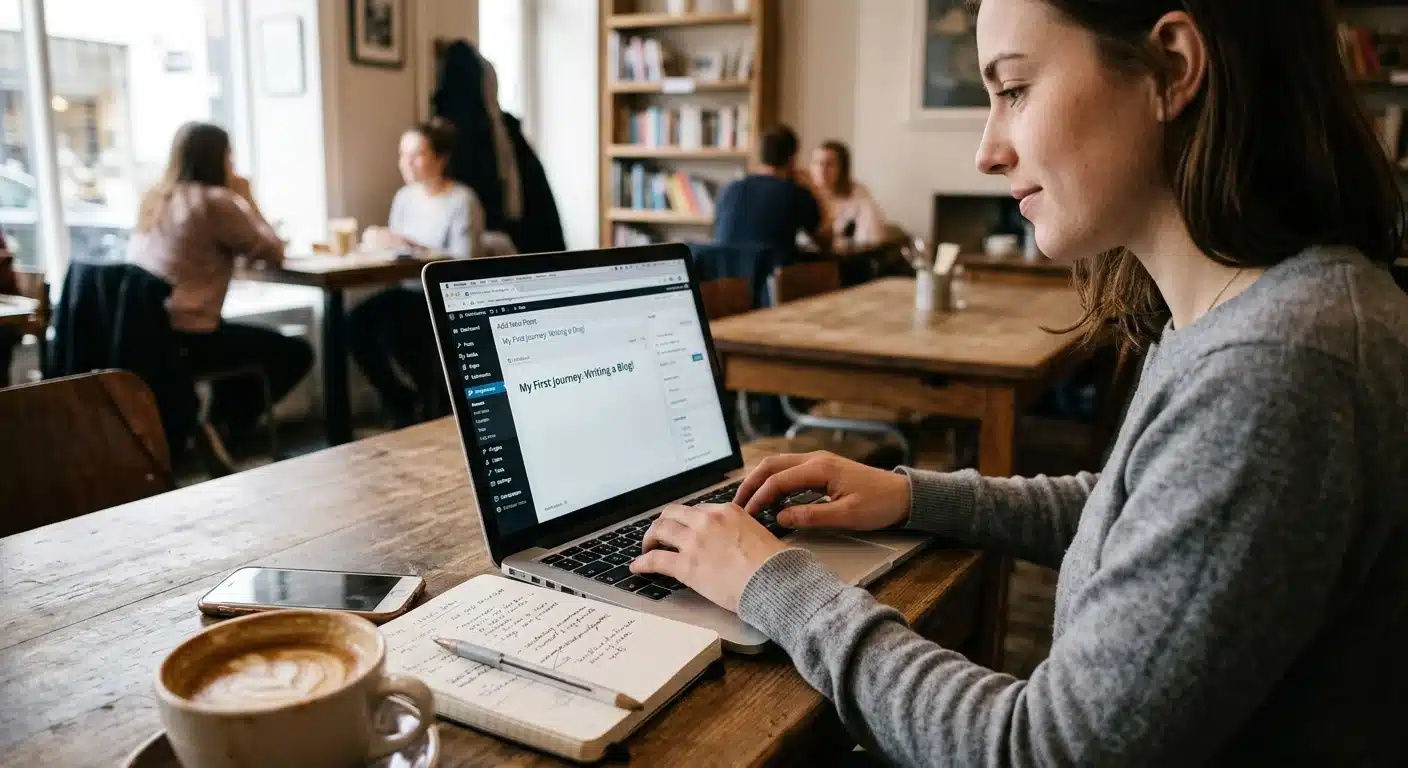
Think in flagship posts. Your early content should be your best: detailed posts that completely solve ONE problem for ONE reader. Not “My Week in Review.” Instead: “How to Start a $500 Emergency Fund on a Small Salary,” a post someone is actively searching for, that takes them all the way to the finish line.
Every Strong Post Has Five Parts
- A headline people want to click. Specific plus a benefit. Numbers work well.
- A hook in the first lines. Say something real and relatable.
- Subheadings. Nobody reads walls of text.
- Real depth. Answer the question so completely they don’t go back to Google.
- A call to action. Pin this, join my list, read this next.
Write FIVE posts before you promote anything. When a reader finds you through one post and loves it, they’ll look for more. Five solid posts make you look like a real blog, not a garage sale with one table. 😄
💡 My controversial opinion: monetize from DAY 1. Some big bloggers say wait months before adding affiliate links or products. I disagree, because I lived the regret: I wish I had monetized from the start. You don’t need to be pushy. One helpful affiliate link in a post you’re proud of is honest work, and honest work deserves pay.
Do this today: Write your first post’s headline using this formula: [Number] + [specific result] + [for whom]. Example: “7 Ways to Save $500 This Month on a Tight Budget.” Then write only the subheadings.
Want my exact process? Read: How to Write Your First Blog Post (With a Simple Template).
Step 7: Set Up Pinterest, Your Traffic Engine 📌
This is the most important step in the guide, and the one most “how to start a blog” posts get wrong. So here’s my story. The REAL one.
When I started, everyone gave different advice. Some said affiliate marketing. Others swore by AdSense. Nobody warned me about the actual problem: none of it matters if nobody visits your blog. Traffic was my wall.
I tried to climb it. Facebook marketing. Paid ads. SEO. Nothing worked, and it was painful watching post after post go nowhere while other bloggers seemed to explode overnight.
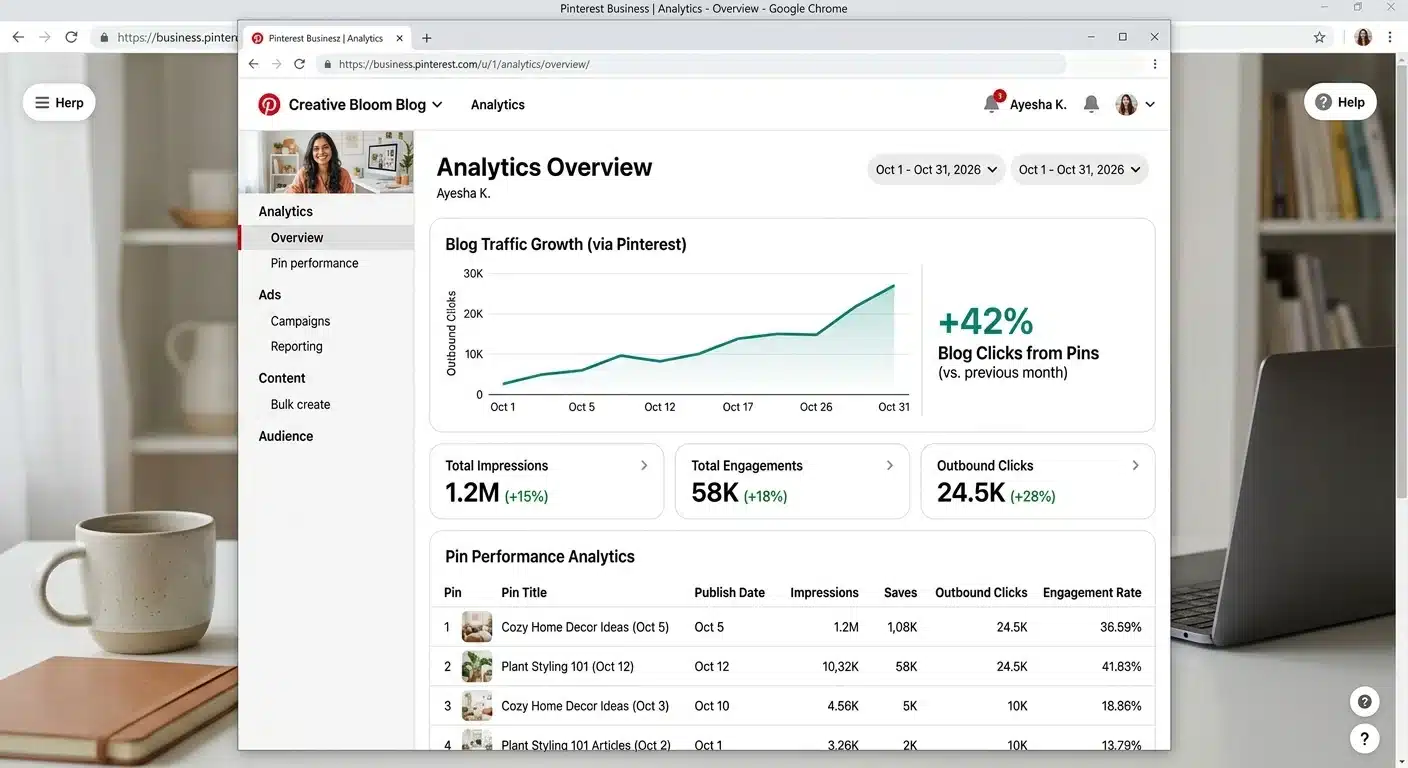
Then I tried Pinterest. I set up a business account, made pins for my posts, and kept showing up. After about 2 months, it clicked. Real readers found my little blog every day. With that traffic I was accepted into Google AdSense, and later into Mediavine’s program. Pinterest didn’t just help my blog. Pinterest SAVED my blog.
Why Pinterest Works for Beginners
- It’s a search engine, not social media. Pins keep getting found for months and years. A Facebook post is dead in a day.
- It’s FREE. No ad budget needed (Step 8 shows why that’s a blessing).
- Users arrive ready. They’re searching for ideas and solutions, exactly what your blog offers.
- It welcomes new blogs. A great pin from a brand-new blog can spread.
Your Pinterest Starter Moves
- Create a free Pinterest business account and claim your website.
- Create boards with keyword-rich names your readers would search. I plan mine around my blog topics.
- Make a vertical pin (1000 × 1500) for every post: clear photo, big readable text.
- Pin consistently. A little every day beats a flood once a month.
Do this today: Create your business account and one board named for your first post’s topic (like “Budgeting for Beginners”). Then design one pin for the post you outlined in Step 6.
This deserves its own deep-dive: Pinterest Marketing for Bloggers, my complete beginner guide.
Step 8: Start Your Email List From Day 1
Remember the painful story I promised in the Mindset section? Here it is.
At my lowest point I spent almost $500 on Facebook ads trying to buy traffic, while my AdSense earnings sat at about $50. Read those numbers again. I LOST money trying to be seen, and I nearly quit blogging altogether.
What saved me was what I now call the real secret of blogging: my email list is an audience I OWN. When I publish a post, I email my list and readers show up instantly, for free, any time. No algorithm begging. No ads. (I love Pinterest, but it’s rented land. Your email list is the house you own. 🏠)
⚡ Learn from my $500 mistake: set up your lead magnet from DAY 1. A lead magnet is a small free gift, like a checklist, template, or short guide, that readers get in exchange for their email address. Nothing fancy needed. My checklist-style freebies have always worked well.
Freebie ideas for a money blog:
- A one-page $500 emergency fund checklist
- A printable monthly budget (check out our free Google Sheets budget template)
- A “where did my paycheck go?” tracker
Free tools to start:
- Kit (formerly ConvertKit): free plan covers up to 10,000 subscribers, with landing pages and forms included. That’s a huge runway for a beginner.
- MailerLite: free up to 250 subscribers. A gentle starting option too.
Do this today: Pick one tool, create ONE simple freebie, and put the signup form on your blog. Future you says thank you.
Ready to go deeper? Read: How to Grow Your Email List from Zero.
Step 9: Make Money Blogging 💰
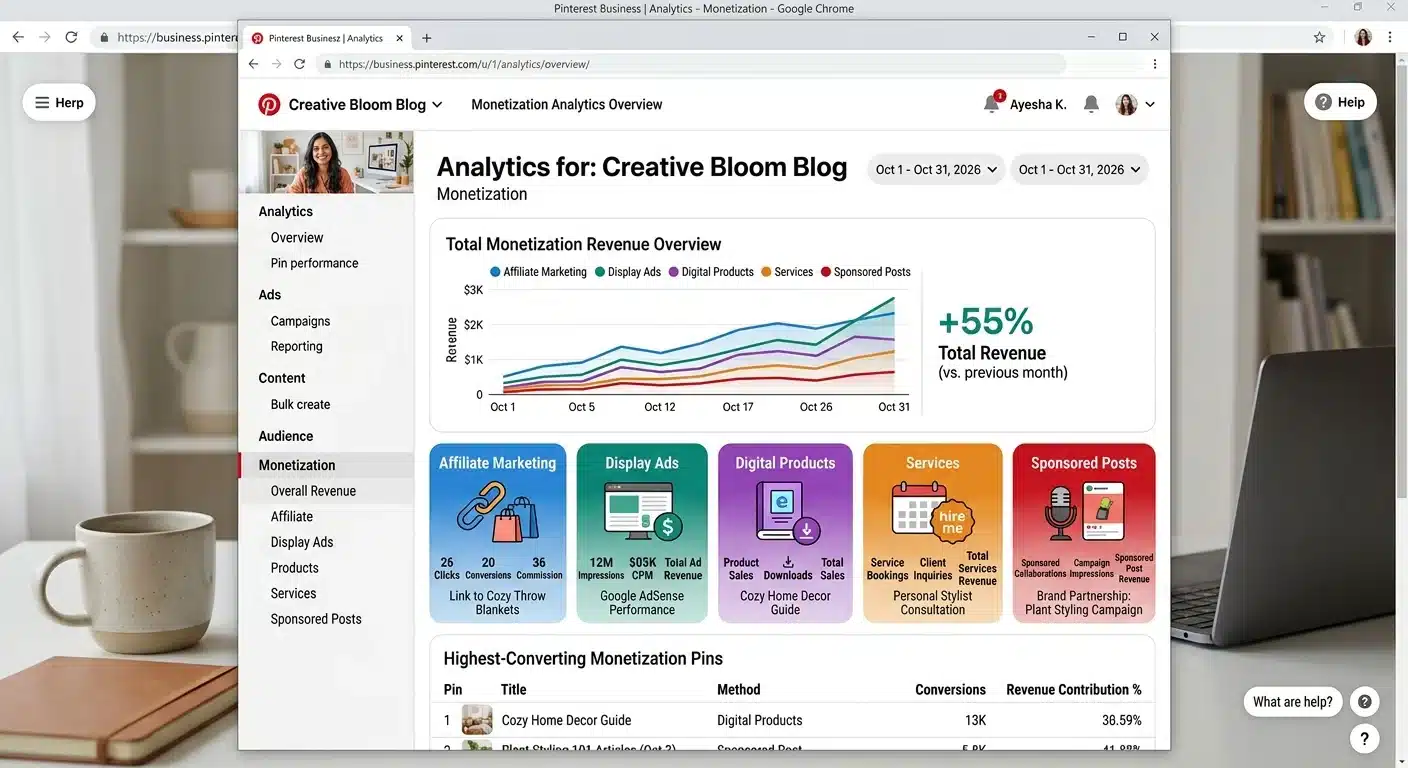
Let’s finish where everyone wants to start: the money. With traffic (Pinterest) and an audience you own (email), here’s how blogs earn, in the order I’d do them:
1. Affiliate Marketing
Recommend products you genuinely use. Earn a commission when readers buy through your link. This is most bloggers’ first real income. It works from day 1 (see Step 6) and costs nothing to start. Always disclose your links. Honesty is the brand.
2. Display Ads
Get paid for traffic. AdSense has no minimum traffic requirement, so most beginners start there. As you grow, Journey by Mediavine opens at just 1,000 sessions a month. Full Mediavine, the premium network bloggers dream about, now requires $5,000 in annual ad revenue. (Lots of blogs still quote an old traffic rule. It’s changed. You’re getting the current facts. 🙂)
3. Your Own Digital Products
Printables, templates, ebooks, courses. This is where blogging income gets exciting: YOU set the price and keep the margin. Start noting your readers’ problems from day 1. They’ll tell you exactly what to sell. (Need inspiration? Check out our guide to selling printables online.)
4. Services & Freelancing
Your blog is a portfolio. Writing, design, coaching, virtual assistance: services are often the FASTEST money a new blogger makes while traffic builds.
5. Sponsored Posts
Once you have an audience, brands pay to feature their products. Lovely income, but it comes last because you need the audience first.
⚠️ One honest warning: notice what’s NOT near the top? Paying for traffic. Ads before you have an audience and products is how beginners burn money. I have the $500 scar to prove it. Free traffic (Pinterest) + owned audience (email) + patience beats ads for a beginner, every time.
Do this today: Add one honest affiliate link to a tool you already use, with a disclosure line, in the post you’re writing.
This step expands into a full guide: How to Make Money Blogging for Beginners.
💰 Honest Money Talk: What It REALLY Costs + How Long It REALLY Takes
No other guide I know puts this in one honest table. Here are your real first-year costs:
| What | Your Cost |
|---|---|
| Domain name (.com) | ~$10–$20/year (often FREE year 1 with hosting) |
| Hosting (Hostinger Premium) | $2.49/mo intro · ~$10.99/mo at renewal |
| Blog theme/design | $0 (Elementor free) |
| Essential plugins | $0 (all free) |
| Email marketing | $0 (Kit free up to 10K subscribers) |
| Realistic Year 1 Total | Roughly $50–$160 |
That’s less than a pair of nice shoes for a business that can change your life. I started on a budget too, and the table above is proof, not hype.
How long until you make money? It depends on your consistency and traffic. Anyone promising income by a specific date is selling you something. My own timeline is a guidepost: traffic was a struggle first (it is for everyone), Pinterest turned things around in about 2 months, and ad income followed. Some bloggers earn in month 2. Many take 6–12 months to see real money. Both are normal.
The bloggers who make it are the ones who don’t quit during the gap between starting and earning. Reread the Mindset section whenever that gap feels long. ❤️
Questions You’re Asking (I Asked Them All Too!) 🤔
Can I start a blog for free instead?
Technically yes. But on a free platform you often can’t run ads or use affiliate links properly (the money methods in Step 9), your web address carries their name, and you don’t own your site. For roughly the price of a pizza a year in domain costs, self-hosted WordPress gives you a business you own.
I’m not tech-savvy AT ALL. Can I really do this?
I designed my first blog theme MYSELF with a free drag-and-drop tool, while working a job I hated, knowing nothing about websites. If something breaks, Google and YouTube have a tutorial for it, and Hostinger’s support is there 24/7. Persistence is the entry ticket, not tech skills.
How long until I actually make money?
Traffic first, money second. That order never changes. With Pinterest working for you, many beginners see first income within a few months. For me, ad approvals came about 2 months after Pinterest clicked. See the Money Talk section above, and don’t quit in the gap.
Do I have to show my face or use my real name?
Nope. Plenty of successful blogs run behind a brand name with no face. Use a pen name, a brand name, or photos of your work. Blogging bends to YOUR comfort level.
Is blogging dead in 2026?
People have asked this every year since about 2009. 😄 Meanwhile WordPress still powers 39.6% of the internet, Pinterest still sends free traffic to blogs like mine, and blogging built the life I have now. It has grown up: it rewards real businesses. That’s exactly what you’re building.
Final Thoughts ❤️
A year from now, you’ll wish you had started today.
Not because blogging is magic. It’s a real business that asks for patience, consistency, and learning by doing. Remember, there IS no perfect recipe, and that’s good news: you can’t get this wrong. You can only quit or keep going.
The ones who keep going build something real: an asset, an audience, a business on THEIR terms. It’s the exact thing I used to daydream about at my desk.
Your $17 domain is out there waiting. Your first readers are on Pinterest right now, searching for exactly what you’ll write. Your future self, working from a café in a city she always wanted to visit, laptop open, no boss to ask, is cheering you on.
So start today. Step 1 is waiting at the top. When you publish that first post, come back and tell me. I’ll be cheering the loudest. 🎉❤️
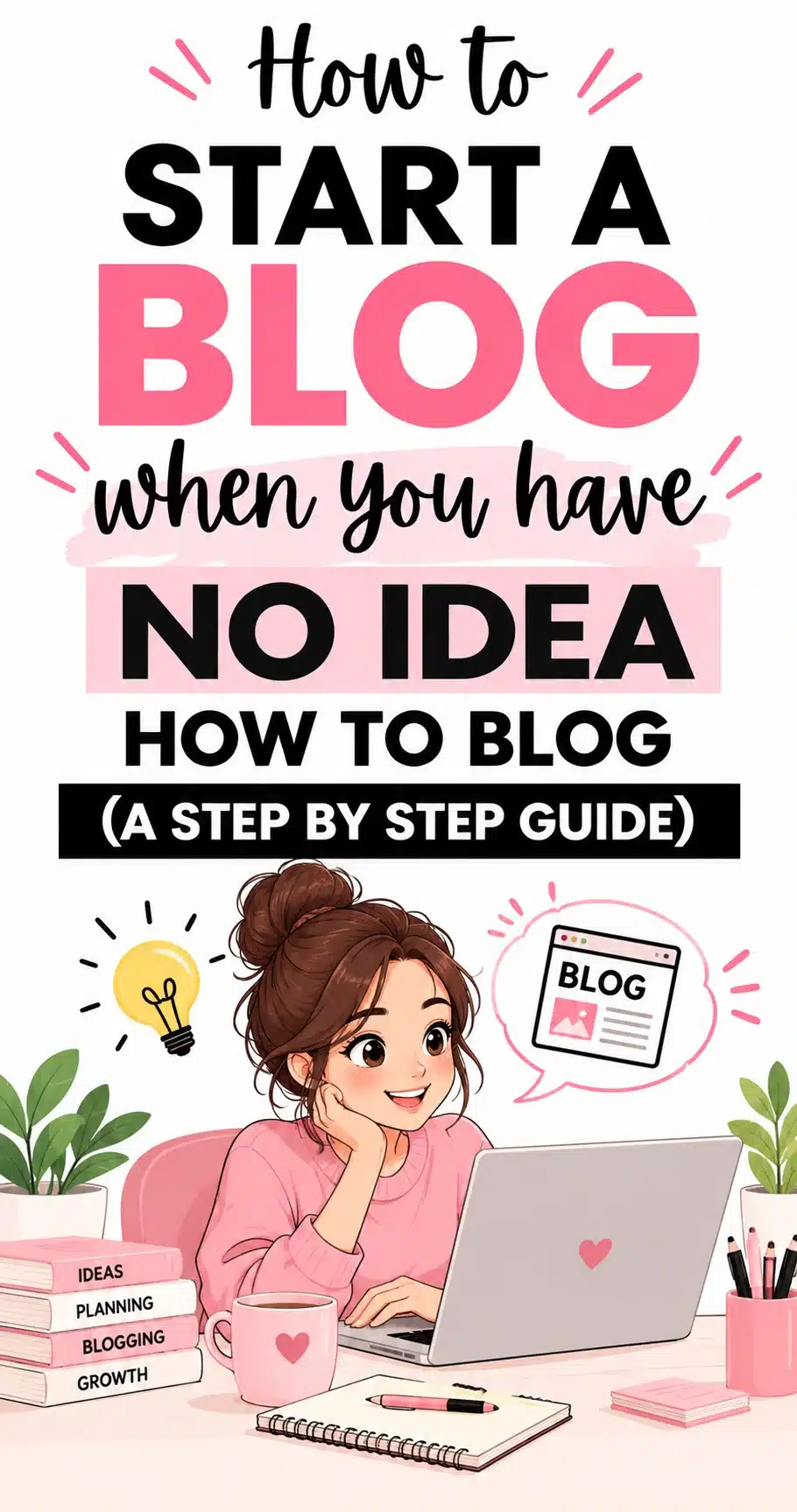
Enjoyed this post? Pin the image below, and follow me on Pinterest over here! 🙂
📩 Want Me to Walk Beside You for the Whole Setup?
My FREE email course takes you from zero to launched, step by step. Join it here and let’s do this together.
📖 Keep Reading