Most people think graphic design needs a degree, a studio, expensive software. It doesn’t. It needs a laptop, taste, and a system.
Whether you’re a stay-at-home mom, a side hustler, or tired of trading hours for income — learning how to make money with graphic design is one of the most flexible, scalable income paths available today. No commute. No boss. No fixed hours.
I started designing from my kitchen table with a free Canva account and zero clients. Twelve months later I was earning over $2,000/month — roughly $900 from freelance, $700 from Etsy templates, and ~$400 from repeat clients who found me on Pinterest.
Not a brag. Proof this works when you build the right foundation in the right order.
The designers earning $3,000, $5,000, even $10,000/month aren’t all formally trained. They followed a system — pick a niche → build a portfolio → land clients → create passive income → scale. That order is everything — each step removes friction from the next.
That’s exactly what this guide gives you. Miss this, and everything that follows gets harder.
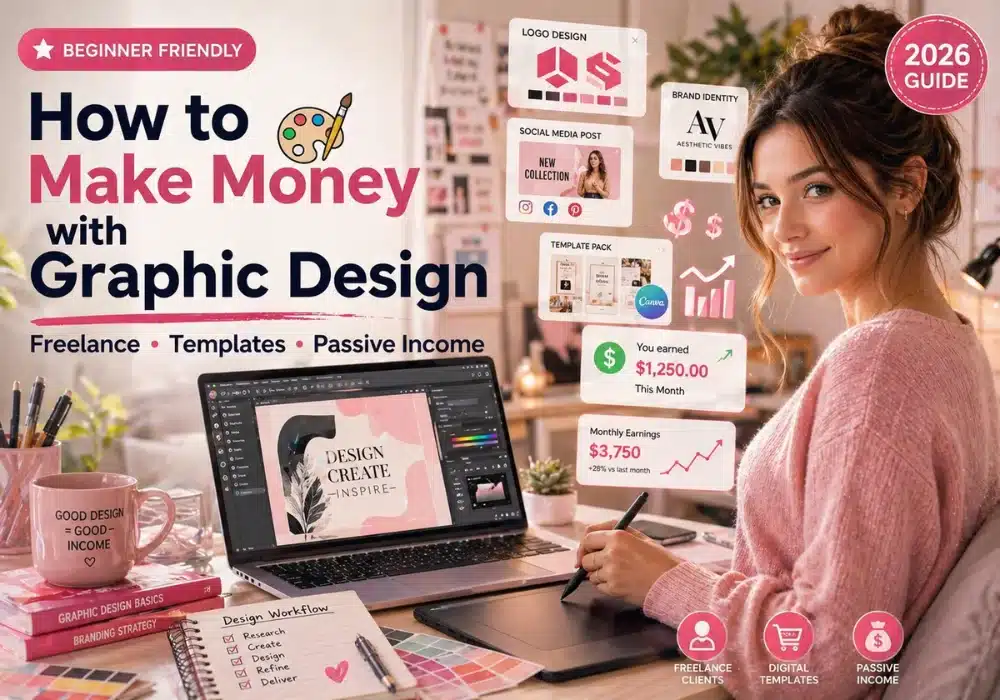
Here’s what we’ll cover:
- Pick a graphic design niche that pays — so you attract the right clients
- Build a portfolio that attracts clients — so you have proof before you pitch
- Set up your freelance business the right way — so you look professional from day one
- Find your first paying clients — so you start earning faster than you think
- Create passive income with digital products — so you earn while you sleep
- Scale past $3,000/month — so design becomes a real business
No fluff. No guesswork. Just steps that work in the real world.
If you’re serious about turning your design skills into real income — start at Step 1 and don’t skip ahead. This only works in order.
Step 1: Choose Your Graphic Design Niche
Your niche determines your rates, your clients, and how fast you grow. Get it wrong, and you compete on price. Get it right, and clients compete for you.
What Is a Graphic Design Niche — and Why Does It Matter?
A niche is the specific type of design work your business focuses on. Specific wins.
“Graphic design” is not a niche. “Pinterest pin templates for bloggers” — that’s a niche. “Wedding invitation design for small budgets” — that’s a niche. The tighter your focus, the faster you build a reputation that attracts clients who trust you.
Pro Tip: Clients don’t hire generalists — they hire specialists. The moment you niche down, your perceived value goes up — and so does your rate.
What Makes a Graphic Design Niche Profitable?
Not every design style you love will make you money. A profitable niche hits all three of these marks:
- People and businesses actively pay for it
- You can deliver it consistently without burning out
- It has room to grow — more clients, more products, more income streams
Here’s a real contrast — “I design logos” attracts price-sensitive clients on platforms like Fiverr. “I design brand identities for female entrepreneurs” attracts buyers willing to invest $500-$2,000 for the right fit.
The Best Graphic Design Niches for Making Money:
These niches already have proven demand:
| Niche | Why It Works |
|---|---|
| Social media templates | Huge demand, recurring clients, sells as digital products |
| Pinterest pin design | Perfect for bloggers, high volume, passive income potential |
| Brand identity design | High ticket, strong referral business |
| Wedding stationery | Emotional purchase, premium pricing |
| Canva templates | Massive Etsy market, create once sell forever |
| eBook and course design | Growing creator economy, high repeat business |
| Logo design | Always in demand, scalable with packages |
If you’re unsure, choose the niche with both recurring demand and product potential — that’s where income scales fastest.

How to Choose Your Niche:
Don’t guess — validate.
- Look at what design work you’ve enjoyed most — even if it was just personal projects
- Search Etsy — what design products are selling with hundreds of reviews?
- Analyze Pinterest — what pin styles get the most saves in your interest area?
- Review Fiverr and Upwork — what design services have the most orders?
- Check Facebook groups for bloggers, entrepreneurs, and small business owners — what design help do they ask for most?
If you only do one thing — start with Etsy. It shows real buying behavior, not just interest.
If you can’t find buyers, demand, or active sellers in 15 minutes, move on.
If other designers are already making money in that space — that’s not a red flag. That’s proof the market exists.
Still Stuck on Your Niche?
Ask yourself these three questions:
- What type of design do people already compliment me on?
- What design problems do small business owners or bloggers around me constantly struggle with?
- What could I create 20 different versions of without running out of ideas?
The sweet spot is where your natural design strengths meet real market demand. Find that — and you’ve got your niche.
Lock your niche — everything else gets easier. Next — build the portfolio that proves you can deliver.
Step 2: Build Your Skills and Portfolio
Most beginners get stuck here — they think they need years of experience and a degree before anyone will hire them.
They don’t. Your work doesn’t need to be perfect — it needs to be useful.
Clients hire proof. Proof that you can solve their specific design problem and deliver something that looks professional. That proof is your portfolio — and you can build it before you land a single paying client.
Start With the Right Tools
You don’t need expensive software to start making money with graphic design. Here’s the honest tool breakdown:
| Tool | Best For | Cost |
|---|---|---|
| Canva Pro | Beginners, templates, social media | ~$13/month |
| Adobe Illustrator | Logo design, brand identity, vector work | ~$21/month |
| Adobe Photoshop | Photo editing, digital art, mockups | ~$21/month |
| Affinity Designer | Budget alternative to Illustrator | $70 one-time |
| Figma | UI/UX design, web design | Free plan available |
If you’re overwhelmed, ignore everything except Canva for now.
If you’re a complete beginner, use Canva — it’s powerful enough to build real income, especially for templates and Pinterest design. Upgrade to Adobe tools as your niche demands it.
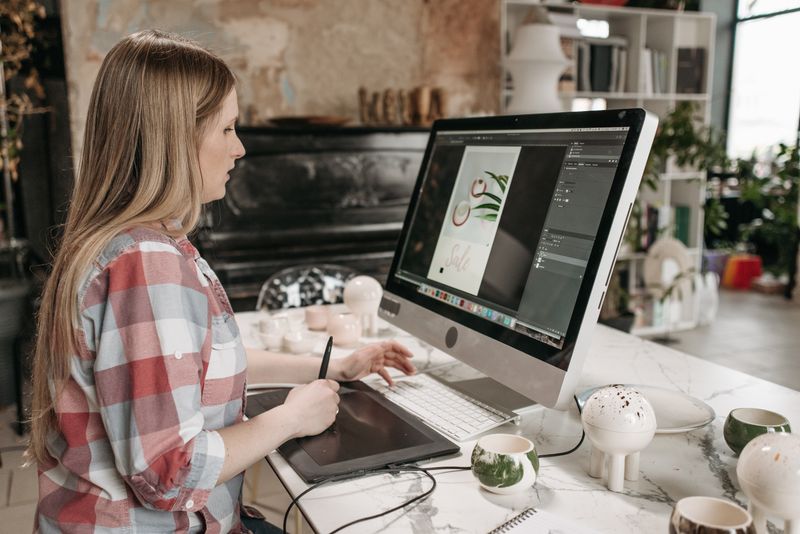
Pro Tip: Don’t spend weeks learning tools before you start creating. Pick one tool, learn it by doing, and build your portfolio as you go. Progress beats preparation every time.
Build Your Skills Fast
You don’t need a design degree. You need focused, intentional practice in your chosen niche.
Here’s how to build real design skills fast:
- Study what’s working — search your niche on Pinterest, Etsy, and Behance. Save designs you love and analyze why they work — colors, fonts, spacing, hierarchy
- Take a focused course — use Skillshare, Udemy, and YouTube to find excellent design courses for every skill level and budget
- Practice daily — set aside 30-60 minutes every day to create something in your niche
- Get feedback — share your work in design Facebook groups and ask for honest critique
- Recreate then innovate — start by recreating designs you admire, then develop your own style
Build Your Portfolio With No Clients
No clients yet? That’s fine. Clients don’t care where the work came from — they care whether they can imagine it working for them. Here’s how to build a portfolio that looks professional from day one:
- Create spec work — design for fictional brands or businesses in your niche. A set of social media templates for an imaginary coffee shop is just as compelling as real client work when it’s done well
- Redesign existing brands — take a real brand with weak design and create an improved version. Show before and after
- Create personal projects — design your own brand identity, your own templates, your own stationery suite
- Offer free or discounted work — reach out to 2-3 small businesses or bloggers you admire and offer to design something for them in exchange for a testimonial and portfolio rights
Pro Tip: Quality beats quantity in your portfolio. Five exceptional pieces in your niche will land more clients than 20 mediocre ones across different styles. Be ruthless — only show your best work.
Where to Host Your Portfolio:
Your portfolio needs a home. Here are the best options:
| Platform | Best For | Cost |
|---|---|---|
| Behance | Creative professionals, free, discoverable | Free |
| Adobe Portfolio | Clean presentation, integrates with Behance | Free with Adobe |
| Squarespace | Beautiful portfolio websites, easy to build | ~$16/month |
| Contra | Freelance-focused portfolio + client leads | Free |
| Your own website | Full control, most professional | ~$10-$15/month hosting |
Start with Behance — it’s free, it’s respected in the design world, and it’s searchable. Build your own website once you’re earning consistently.
What to Include in Every Portfolio Piece:
Don’t show designs — show transformations. Tell the story behind them.
For each portfolio piece include:
- The design itself — multiple angles and mockups
- The brief or problem you were solving
- Your design decisions — why you chose those colors, fonts, layout
- The result — if it was real client work, mention the outcome
This approach shows clients you’re a strategic thinker — not just someone who makes things look pretty.
How Many Portfolio Pieces Do You Need?
You can start pitching clients with as few as 5-8 strong, niche-focused pieces. Don’t wait until you have 30. Start with 5 — and keep adding as you work.
Step 3: Set Up Your Freelance Business
Getting your first client without a proper setup is like opening a store with no way to collect payment — you get traffic, but can’t close.
Setting up your freelance business the right way from day one saves you from headaches, awkward client conversations, and money left on the table.
Here’s exactly what you need.
Step 3a: Define Your Services and Pricing
Before you pitch a single client — know exactly what you offer and what you charge.
Most beginners underprice because they under-value their work. Don’t. Underpricing attracts the worst clients and burns you out fastest.
Here’s a realistic pricing guide for beginner graphic designers:
| Service | Beginner Rate | Experienced Rate |
|---|---|---|
| Logo design | $150-$300 | $500-$2,000+ |
| Brand identity package | $300-$600 | $1,500-$5,000+ |
| Social media templates (set of 10) | $75-$150 | $200-$500 |
| Pinterest pin templates (set of 5) | $50-$100 | $150-$300 |
| eBook design | $150-$300 | $400-$1,000+ |
| Custom illustration | $100-$250 | $300-$800+ |
| Canva template pack | $25-$75 | $75-$200 |
Most clients judge your value based on your highest-priced offer. Anchor high — set a premium option so mid-tier feels like a deal.
Start at the lower end of beginner rates — but never go below what makes the work worth your time. A project that pays $20/hour is not worth taking.
Pro Tip: Package your services instead of charging by the hour. A “Brand Starter Package” at $350 feels more valuable than “5 hours at $70/hour” — even if the math is identical. Packages sell better and protect your time.
Step 3b: Choose Your Business Name
Your business name is your first impression. Keep it simple, professional, and easy to remember. Names that hint at your niche (‘PinStudio Co.’) convert faster than abstract names early on.
You have two solid options:
- Your own name — clean, personal, builds your personal brand alongside your business
- A studio name — gives you room to grow, feels more established
Whatever you choose — check that the name is available as a domain and on Instagram, Pinterest, and Facebook before you commit.
Step 3c: Set Up Your Payment System
Getting paid needs to be frictionless. The smoother your payment process, the more legitimate your business feels. Set these up before you take your first client:
| Payment Platform | Best For | Fee |
|---|---|---|
| PayPal | International clients, widely trusted | 2.9% + $0.30 |
| Stripe | Professional invoicing, card payments | 2.9% + $0.30 |
| Wave | Free invoicing and payments | Free + processing fee |
| HoneyBook | Full client management + payments | ~$16/month |
Wave is the best free starting point — it handles invoicing, payment tracking, and basic bookkeeping all in one place.

Step 3d: Create Your Client Contract
This is the step most beginners skip — and regret.
A contract protects you and your client. It sets clear expectations, prevents scope creep, and ensures you get paid.
Your basic contract should cover:
- Scope of work — exactly what you’re delivering
- Timeline — when deliverables are due
- Payment terms — deposit required upfront, balance due on delivery
- Revision policy — how many rounds of revisions are included
- Ownership rights — when the client owns the final files
- Cancellation policy — what happens if the project is cancelled
Pro Tip: Always — always — collect a deposit before starting any project. A 50% upfront deposit is standard. It filters out time-wasters and ensures you’re compensated if a client disappears mid-project.
Step 3e: Set Up Your Online Presence
Clients need to find you. Here’s the minimum online presence you need before you start pitching:
- Portfolio — clean, niche-focused
- Pinterest — inbound leads
- Instagram or Facebook — consistency
- LinkedIn — B2B clients
You don’t need to be everywhere. Pick two platforms where your ideal clients hang out — and show up there consistently.
Step 3f: Create a Simple Media Kit
A media kit is a one-page document that tells potential clients everything they need to know about working with you.
Include:
- Your name and business name
- Your niche and services
- Your starting rates
- Your process — how you work with clients
- 2-3 portfolio samples
- Contact information and links
Send this when clients ask about your services — it instantly sets you apart from designers who just respond with a price.
Step 4: Find Your First Clients
This is the step most designers dread. Putting yourself out there, pitching strangers, waiting for someone to say yes.
Here’s the shift that matters: you’re not begging for work. You’re offering a solution to a real problem that real businesses have right now.
Approach it that way — and finding clients stops feeling scary and starts feeling strategic. If you wait to be discovered, you stay invisible.
Where to Find Your First Graphic Design Clients:
| Platform | Best For | Difficulty |
|---|---|---|
| Fiverr | Beginners, quick wins, global reach | Low |
| Upwork | Higher rates, longer projects, professional clients | Medium |
| Etsy | Digital products, passive income, template sales | Low-Medium |
| Facebook Groups | Direct outreach, warm leads, fast results | Low |
| Inbound leads, long-term traffic, brand building | Medium | |
| Business clients, higher budgets, B2B work | Medium | |
| Local businesses | Easy outreach, face-to-face trust, referrals | Low |
Channel 1: Fiverr — Your Fastest Path to First Income
Fiverr is where most beginner designers land their first paying client. The platform brings the clients to you. Your job is to show up with a compelling profile and competitive offer.
Here’s how to set up a Fiverr profile that actually gets orders:
- Choose one specific service — “I will design Pinterest pin templates for bloggers” beats “I will do graphic design”
- Write a keyword-rich title — include exactly what clients search for
- Use a professional profile photo — smiling, well-lit, approachable
- Show your best portfolio samples — 3-5 niche-specific examples
- Price competitively to start — $15-$30 for your first gig to build reviews fast
- Deliver faster than promised — early delivery generates five-star reviews consistently
- Ask for reviews — after every delivery, politely ask satisfied clients to leave feedback
Pro Tip: Your first 5 reviews on Fiverr are everything. Consider pricing your first few gigs below market rate specifically to build social proof fast — then raise your rates once reviews are in. Low pricing is a temporary strategy — not a business model.
Channel 2: Facebook Groups — Your Warmest Leads
Facebook groups are full of small business owners, bloggers, and entrepreneurs who need design help right now — and most designers completely ignore this channel.
Here’s how to use Facebook groups the right way:
- Join 5-10 groups where your ideal clients hang out — blogger groups, entrepreneur groups, small business owner groups
- Spend one week adding value — answer questions, give feedback, be helpful without pitching
- Watch for posts asking for design recommendations or help — these are warm leads
- Respond with genuine help first — then mention you offer that service if it feels natural
- Post your own work occasionally — frame it as sharing, not selling
Expect to comment 10–20 times before your first lead — consistency beats visibility here.
Pro Tip: Never drop your link in a group without permission or context. Build relationships first. One warm referral from a Facebook group is worth ten cold pitches anywhere else.
Channel 3: Direct Outreach — The Underrated Strategy
Most designers wait to be found. The ones who grow fastest go out and find clients themselves.
Direct outreach means identifying businesses or bloggers whose design you think you can improve — and reaching out with a specific, personalized offer.
Here’s a simple outreach formula that works:
- Find a business or blogger with weak design in your niche
- Identify one specific thing you could improve — their Pinterest pins, their logo, their social media templates
- Send a short, personalized message — compliment something genuine about their business, mention the specific improvement, offer to show them a quick sample
Here’s what that message looks like in practice:
“Hi [Name] — I love what you’re building at [Blog/Business]. I noticed your Pinterest pins aren’t using consistent branding — I think a cohesive template set could improve your traffic. I’ve put together a quick sample for you — want me to send it? It’ll take 30 seconds to review.”
Simple. Specific. Repeatable.
Channel 4: Pinterest — Your Long-Term Inbound Machine
Pinterest isn’t just a traffic source for bloggers — it’s a client acquisition machine for designers.
Here’s how to use Pinterest to attract design clients:
- Create a Pinterest business account and optimize your profile with your primary keyword
- Pin your portfolio work consistently — 5-10 pins per week minimum
- Create pins that showcase your process — before and after transformations perform extremely well
- Write keyword-rich descriptions for every pin — treat them like mini SEO exercises
- Link every pin back to your portfolio or website
Clients searching for “Pinterest pin designer” or “Canva template designer” find your work — and reach out. That’s inbound lead generation on autopilot.
Channel 5: Local Businesses — The Easiest First Client
The easiest first client is often the one closest to you.
Local restaurants, salons, boutiques, and small businesses almost always need design help — and most of them have never been approached by a designer directly.
Here’s how to land a local client:
- Walk into a local business you genuinely like
- Compliment something specific about what they do
- Point out one design opportunity — their menu, their social media, their signage
- Offer to create one sample piece for free — then propose a paid project based on their reaction
One local client who loves your work becomes your best referral source. Word of mouth in a local community moves fast.
How to Convert a Lead Into a Paying Client:
Getting interest is step one. Closing the project is step two.
Here’s a simple client conversion process:
- Discovery call — 15-20 minutes to understand their needs, timeline, and budget
- Proposal — a one-page document outlining scope, deliverables, timeline, and investment
- Contract — send your standard contract for signature
- Deposit invoice — collect 50% upfront before touching a single design
- Start work — only after contract is signed and deposit is received
Never start work without a signed contract and a deposit. Every single time — no exceptions.
Step 5: Create Passive Income with Digital Products
Freelancing pays once. Digital products pay repeatedly.
That’s the difference — and it’s a big one.
Every hour you spend on a client project is an hour traded for money. The moment you stop working, the income stops. Digital products break that equation completely. You create something once — and sell it hundreds, even thousands of times.
For graphic designers, this is one of the most powerful income shifts available. Your skills translate directly into products people are already searching for and buying every single day.
What Digital Products Can Graphic Designers Sell?
Here’s where designers are making real passive income right now:
| Product | Where to Sell | Price Range |
|---|---|---|
| Canva templates | Etsy, Creative Market, own website | $5-$47 |
| Pinterest pin templates | Etsy, own website | $7-$27 |
| Logo template kits | Creative Market, Etsy | $15-$65 |
| Social media template packs | Etsy, Creative Market | $10-$47 |
| Brand kit templates | Creative Market, own website | $25-$97 |
| Font pairings and style guides | Creative Market | $7-$25 |
| eBook and course templates | Etsy, own website | $15-$47 |
| Illustration packs | Creative Market, Etsy | $10-$35 |
This is where it clicks.

The Best Platform to Start — Etsy
Etsy is the fastest way to start selling design products. The platform has millions of buyers already searching for exactly what you create — and getting your first sale can happen within days of listing.
Here’s how to set up an Etsy shop that converts:
- Choose a shop name — niche-specific and memorable
- Create 5-10 products to start — don’t wait until you have 50 listings
- Write keyword-rich titles — “Canva Pinterest Pin Templates for Bloggers — 10 Editable Designs” beats “Pinterest Templates”
- Use all 13 tags — fill every tag with relevant search terms your buyers use
- Create stunning mockup images — show the product in use, not just as a flat file
- Price competitively — research what similar products sell for and position accordingly
- Deliver instantly — use Etsy’s digital download feature so buyers get files immediately
Etsy buyers don’t browse — they search. Your job is to match exactly what they type.
Pro Tip: Your Etsy listing images are your silent sales team. Invest time in creating beautiful, professional mockups — use Canva or Placeit to show your templates in real-world contexts. Better images directly equal more sales.
Creative Market — Your Premium Alternative
Creative Market attracts professional designers, agencies, and serious buyers willing to pay more than Etsy shoppers. Products here typically sell at higher price points — and the platform curates quality over volume.
Apply to sell on Creative Market once you have a strong portfolio and polished products. It’s a slower burn than Etsy — but the revenue per sale is significantly higher.
How to Create a Best-Selling Canva Template:
Canva templates are the entry point for most designer-sellers. They’re fast to create, easy to deliver, and have a massive built-in market.
Here’s how to create a template that sells:
- Research first — search Etsy for your template type and study the best sellers. What styles are selling? What price points? What do the reviews say buyers love?
- Design for your specific buyer — a Pinterest template for food bloggers looks different from one for finance bloggers. Niche down even inside your product
- Create in Canva — build your template, then share it as a Canva template link so buyers can edit it directly in their own account
- Package it properly — include a PDF with instructions, your template link, and a terms of use document
- Create multiple variations — offer 5, 10, or 20 pin templates in one pack — more value means higher prices and better reviews
Templates that solve a specific problem outperform templates that just look good.
Pinterest as Your Product Marketing Machine
Pinterest isn’t just where you find clients — it’s where you sell your digital products.
Here’s how to use Pinterest to drive Etsy sales:
- Create 5-10 pins for every product you list
- Show the template in use — a pin that shows “before and after” or “how it looks on your blog” converts far better than a plain product image
- Write keyword-rich descriptions linking directly to your Etsy listing
- Pin consistently — 5-10 pins per day across your boards
- Create a dedicated board for each product category
One viral pin can generate hundreds of Etsy sales from a single product. That’s the power of Pinterest combined with digital products.
How to Price Your Digital Products:
Most beginners underprice their digital products out of fear. Use this pricing framework:
- Research what competitors charge for similar products
- Factor in the value your buyer gets — not just the time it took you to create
- Test higher prices — digital product buyers often associate higher prices with higher quality
- Bundle products together — a pack of 10 templates at $27 converts better than one template at $5
You’re not selling a file — you’re selling saved time and better results.
Pro Tip: Add a “commercial license” option to your products at a premium price. Many buyers — bloggers, small business owners, social media managers — need commercial rights and will happily pay 2-3x more for them.
Building Your Own Shop — The Long-Term Play
Etsy and Creative Market take a cut of every sale. Your own website takes nothing.
Once you’re generating consistent Etsy sales — build your own shop using Shopify, Payhip, or Gumroad. Drive your Pinterest and email traffic there directly. Keep more of every dollar you earn.
This is the passive income upgrade path most successful designer-sellers follow:
- Start on Etsy — build reviews, validate products, learn what sells
- Expand to Creative Market — higher price points, professional buyers
- Launch your own shop — own your audience, keep your margins
Step 6: Scale Your Income
Getting to your first $1,000/month is a milestone. Scaling past it is a different game.
This is where design stops feeling like a side hustle and starts feeling like a business. This is where you stop acting like a freelancer and start operating like a business owner.
And the shift doesn’t happen because you work harder. It happens when your systems start working without you — client inquiries coming in on autopilot, digital products selling while you sleep, repeat business flowing from clients who trust you completely.
That’s what you’re building toward.
The Four Levers of Graphic Design Income Growth:
| Lever | What It Means | Impact |
|---|---|---|
| More clients | More projects = more active income | High |
| Higher rates | Same hours, more money | High |
| Passive product income | Digital products compound over time | High |
| Repeat business | Existing clients buy again and refer others | Medium |
If you’re under $3k/month, focus on rates and clients first. Above that, shift to products and retainers.
Pull all four levers consistently — and your income compounds into predictable growth.
Lever 1: Raise Your Rates
This is the fastest way to increase your income without working more hours.
Most designers wait too long to raise rates. They stay stuck at beginner prices long after their skills and portfolio justify charging more.
Here’s when to raise your rates:
- You’re fully booked — more demand than you can handle
- You’ve completed 10+ successful client projects
- Your portfolio is strong and niche-focused
- Clients are accepting your quotes without negotiating
Here’s how to raise your rates without losing clients:
- Announce your new rates to existing clients with 30 days notice — most will stay
- Apply new rates to all new client inquiries immediately
- Raise rates by 20-30% at a time — not all at once
- Repackage your services — add more value to justify the increase
Pro Tip: The clients who push back hardest on rate increases are usually your least profitable ones anyway. Raising your rates naturally filters out low-budget clients and attracts better ones.
Lever 2: Create Retainer Packages
Project-based work means inconsistent income — one good month, one slow month, repeat.
Retainer packages fix that. A retainer is a monthly agreement where a client pays you a set fee for ongoing design work. Position retainers as predictable output for them — not just stable income for you.
Here’s what a graphic design retainer looks like:
| Package | What’s Included | Monthly Rate |
|---|---|---|
| Starter | 4 social media graphics per month | $200-$400 |
| Growth | 10 social media graphics + 2 Pinterest pins | $400-$700 |
| Premium | Unlimited revisions + priority turnaround + monthly strategy call | $700-$1,500 |
Three retainer clients at $500/month is $1,500 in predictable monthly income — before you take on a single additional project.
Pro Tip: Pitch retainers to your best existing clients first. They already trust your work — the conversation is much easier than pitching a cold prospect.
Lever 3: Scale Your Digital Product Income
Your Etsy shop and digital product sales compound over time — but only if you keep feeding them.
Here’s how to scale your passive income:
- Add new products consistently — aim for 2-4 new listings per month
- Expand successful products — if a Pinterest template pack sells well, create a second pack in a different style or niche
- Bundle products together — create higher-value bundles at premium price points
- Drive Pinterest traffic — create 5-10 new pins per week pointing to your best-selling listings
- Build your email list — offer a free template as a lead magnet, then promote new products to your list
One best-selling Etsy product generating $500/month is powerful. Ten products each generating $200/month is life-changing.
Lever 4: Build a Team
You have a finite number of hours. At some point — the only way to take on more work is to bring in help. Don’t hire until your workflow is repeatable — otherwise you scale chaos.
Here’s how successful designers build small teams:
- Hire a junior designer — train them to handle revisions, basic projects, and template creation while you focus on strategy and client relationships
- Outsource non-design tasks — hire a virtual assistant to handle client communication, invoicing, and social media scheduling
- Bring in a project manager — once you’re managing multiple clients simultaneously, a PM keeps everything on track
The goal isn’t to build a massive agency. It’s to remove yourself from the tasks that don’t require your unique skills — so you can focus on the work that grows your income fastest.
Pro Tip: Start by outsourcing one task — not five. Pinterest pin creation for your Etsy shop is the highest-leverage starting point for most designers. A VA creating and scheduling pins frees you up to design more products and land more clients.
Lever 5: Launch a Course or Workshop
Once you’ve built real expertise and a real audience — teaching what you know becomes one of the highest-income moves available.
Here’s what designer-educators are creating:
| Product | Price Range | Platform |
|---|---|---|
| Mini workshop (60-90 min) | $27-$97 | Zoom, Teachable |
| Canva design course | $97-$297 | Teachable, Kajabi |
| Brand design masterclass | $197-$497 | Teachable, Kajabi |
| 1-on-1 design coaching | $97-$297/hour | Direct, HoneyBook |
| Group coaching program | $497-$1,997 | Kajabi, Circle |
You don’t need a massive audience to launch a course. A list of 500 engaged email subscribers who trust your expertise is enough to generate real course revenue.
Track Your Numbers — Every Single Month
You can’t scale what you don’t measure. Set aside 30 minutes at the end of every month to review:
| Metric | Tool | Why It Matters |
|---|---|---|
| Total revenue | Spreadsheet | Shows overall income growth |
| Revenue by stream | Spreadsheet | Identifies top earners |
| Etsy shop stats | Etsy dashboard | Tracks product performance |
| Pinterest impressions | Pinterest Analytics | Monitors traffic to products |
| Active clients | Your CRM or spreadsheet | Tracks client pipeline |
| Hours worked | Time tracking app | Calculates your effective hourly rate |
Look at the numbers. Find what’s working — and do more of it. Find what’s not — and fix it or cut it.
A Realistic Graphic Design Income Timeline:
| Timeframe | Realistic Monthly Income |
|---|---|
| Month 1-2 | $0 – $200 |
| Month 3-6 | $200 – $1,000 |
| Month 6-12 | $1,000 – $3,000 |
| Year 2 | $3,000 – $7,000 |
| Year 3+ | $7,000 – $15,000+ |
These numbers assume consistent effort — building your portfolio, pitching clients, listing products, and promoting on Pinterest.
This isn’t overnight money. But it’s real, sustainable income — built on skills you develop once and leverage forever. No boss. No ceiling. No permission needed.
Real Examples of Graphic Designers Making Money
If you’re sitting there thinking — “this sounds great, but does it actually work?” — this section is for you.
Real designers. Real numbers. Real proof.
Example 1: Kelsey Baldwin — Paper + Oats
Kelsey started Paper + Oats as a side project while working a full-time job. Her niche — Canva templates and brand resources for creative entrepreneurs.
Today — Paper + Oats generates consistent five-figure monthly revenue almost entirely through digital product sales.
Her primary income driver? A library of Canva templates sold through her own website — products she created once and has sold thousands of times over.
What makes Kelsey’s story powerful isn’t the revenue — it’s the model. No agency. No team of designers. Just a focused niche, a strong product library, and a Pinterest strategy that drives consistent traffic to her shop.
What you can copy:
- Pick one specific audience — creative entrepreneurs, bloggers, coaches — and create every product for that exact person
- Build a product library over time — each new product adds another passive income stream
- Use Pinterest as your primary traffic driver — Kelsey’s pins consistently rank for high-volume design keywords
Example 2: Shay Bocks — Bocks Design
Shay built her design business around one specific niche — WordPress themes and brand templates for female entrepreneurs.
Her business generates over $20,000/month — primarily through premium template sales and occasional custom brand design projects.
She started with zero clients and zero audience. Her first products sold for $47. Her premium packages now sell for $500+.
What you can copy:
- Start with lower price points to validate your products — then raise prices as reviews and demand build
- Combine active client work with passive product sales — both income streams feed each other
- Position yourself specifically for a defined audience — “female entrepreneurs” is more powerful than “small businesses”
Example 3: A Fiverr Designer — $4,200 in Month 6
Not every success story starts with a personal brand or a product shop.
One designer — a stay-at-home mom with basic Canva skills — started offering Pinterest pin design on Fiverr in January with no experience and no portfolio.
Here’s her six-month income progression:
| Month | Orders | Income |
|---|---|---|
| Month 1 | 3 | $45 |
| Month 2 | 11 | $187 |
| Month 3 | 28 | $642 |
| Month 4 | 47 | $1,104 |
| Month 5 | 63 | $2,831 |
| Month 6 | 89 | $4,200 |
No viral moment. No big launch. Just consistent delivery, five-star reviews, and a Fiverr algorithm that rewarded her reliability.
By month six she had raised her rates three times and was turning away work.
What you can copy:
- Start on Fiverr with one specific, beginner-friendly service — Pinterest pin design is perfect
- Prioritize reviews above everything else in your first 90 days — price low, deliver fast, ask for feedback
- Raise your rates incrementally as reviews accumulate — don’t stay at beginner prices any longer than necessary
- Consistency compounds — showing up every day matters more than any single big win
Example 4: Etsy Template Seller — $2,847 in Month 4
Another designer — this time focused entirely on passive income — opened an Etsy shop selling Canva social media templates for food bloggers.
Here’s her four-month breakdown:
| Month | Listings | Sales | Revenue |
|---|---|---|---|
| Month 1 | 8 | 12 | $187 |
| Month 2 | 14 | 31 | $483 |
| Month 3 | 22 | 89 | $1,204 |
| Month 4 | 31 | 183 | $2,847 |
Her strategy was simple — add 2-3 new listings every week, create 5 Pinterest pins per listing, and reinvest early revenue into Etsy ads to accelerate visibility.
By month four she was earning nearly $3,000/month from products she created once.
What you can copy:
- Niche down inside your niche — “social media templates for food bloggers” beats “social media templates”
- Add listings consistently — more products mean more search visibility on Etsy
- Create Pinterest pins for every single listing — this is free traffic that compounds over time
- Use Etsy ads early — even $1-$5/day accelerates your shop’s visibility significantly
What Every Single One of These Designers Has in Common:
Regardless of their starting point, niche, or income level — they all did the same things:
- They picked a specific niche and stayed focused
- They started before they felt ready
- They built their portfolio and credibility simultaneously
- They treated design like a business — not a hobby
- They kept going when it felt slow
Different paths. Same pattern: niche, consistency, leverage.
You don’t need to be Kelsey or Shay to win at graphic design. You need to be consistent, strategic, and willing to keep going when progress feels invisible.
Because it will feel invisible at first. And then one day — it won’t.
Common Mistakes to Avoid
Most designers don’t fail dramatically. They fade out slowly.
One slow week becomes two. Two becomes a month. The portfolio sits unfinished, the Etsy shop untouched, the pitches unsent — while the designer tells themselves they’ll get back to it soon.
They don’t. Not because they can’t do it — but because they stop before it works.
And the painful part? Most of those designers were one or two fixes away from turning a corner. Not a complete overhaul. Not a fresh start. Just a handful of specific mistakes — corrected early enough to matter.
Here are the ones that kill graphic design businesses most often.
Mistake 1: Trying to Design Everything for Everyone
This is the most common mistake beginner designers make — and the most expensive.
A general designer competes on price. A specialist designer competes on expertise. One charges $50 for a logo. The other charges $500. Same skill level — completely different positioning.
Generalists attract the clients nobody else wants. Specialists attract the clients everyone wants.
The fix: Pick one niche and commit to it for at least six months. Resist the urge to take every project that comes your way — every off-niche project dilutes your portfolio and confuses your positioning.
Mistake 2: Underpricing Their Work
Underpricing is the fastest path to burnout in graphic design. Low rates attract difficult clients, create resentment, and make every project feel like a loss before it’s even finished.
And here’s the counterintuitive truth — clients who pay low rates are almost always more demanding than clients who pay premium rates. Higher prices filter out time-wasters and attract clients who respect your work.
The fix: Research market rates for your niche and charge at least the midpoint — even as a beginner. Your skills have value. Price them accordingly. If a client says your rate is too high — that’s not your client.
Mistake 3: Starting Work Without a Contract or Deposit
This mistake costs designers hundreds — sometimes thousands — of dollars every year.
Clients disappear. Scope creep happens. Projects expand beyond what was agreed. Without a contract and deposit, you have no protection and no leverage.
The fix: Never — under any circumstances — start a project without a signed contract and a 50% deposit. This is non-negotiable. One client who ghosts you after three weeks of free work will teach you this lesson the hard way. Learn it now instead.
Mistake 4: Building a Portfolio Without a Niche Focus
A portfolio that shows logos, social media posts, wedding invitations, website mockups, and illustrations tells clients one thing — this designer does everything. And a designer who does everything is a specialist in nothing.
Clients hiring for a specific project want to see that exact type of work in your portfolio. If they can’t find it — they move on.
The fix: Curate your portfolio ruthlessly. Show only your best work in your chosen niche. Remove everything else — even pieces you’re proud of — if they don’t fit your positioning. A focused portfolio of five pieces outperforms a scattered portfolio of twenty every time.
Mistake 5: Ignoring Pinterest as a Marketing Tool
Most designers promote their work on Instagram and ignore Pinterest completely. That’s a mistake — especially if your target clients are bloggers, entrepreneurs, or stay-at-home moms.
Pinterest has a longer content lifespan than any other platform. A pin you create today can drive traffic to your portfolio or Etsy shop for months — even years — without any additional effort.
The fix: Create a Pinterest business account and start pinning your work consistently. Design 5-10 pins per week showcasing your portfolio pieces, product listings, and design tips. Treat Pinterest like a search engine — keyword-optimize every description — and let it work for you long after you’ve moved on to other things.
Mistake 6: Waiting Until Their Portfolio Is “Ready”
Perfectionism kills more design businesses than lack of talent ever will.
Designers who wait until their portfolio is perfect before pitching clients — wait forever. There’s always one more piece to add, one more skill to develop, one more course to finish before they feel ready.
Clients don’t need perfect. They need capable and reliable.
The fix: Set a hard deadline — you start pitching clients when you have five portfolio pieces, regardless of how you feel about them. Five pieces and a pitch beats zero pieces and a perfect plan every single time.
Mistake 7: Treating Design Like a Hobby Instead of a Business
This is the most subtle mistake — and the most destructive.
Hobby designers create when they feel inspired. Business designers create on schedule. Hobby designers take projects they like. Business designers take projects that fit their strategy. Hobby designers avoid the uncomfortable parts — contracts, pricing, pitching. Business designers build systems around them.
The income difference between a hobby designer and a business designer isn’t talent. It’s mindset.
The fix: Treat your design business like a business from day one — even before it feels like one. Set working hours. Track your income. Follow up on leads. Send invoices on time. The systems you build now are the foundation your income grows on later.
Mistake 8: Giving Up Too Soon
This is the biggest one. Most designers quit in months two to four — right before the compounding effect kicks in.
The first few months are slow. Client inquiries trickle. Etsy sales are minimal. Fiverr feels like shouting into a void. It feels like nothing is working.
But here’s what’s actually happening during those quiet months — your Fiverr profile is climbing in search results. Your Etsy listings are getting indexed. Your Pinterest pins are accumulating impressions. Your portfolio is getting stronger with every piece you add.
The designers who push through that window — who keep pitching, keep creating, keep listing — are the ones who look back six months later at $3,000, $5,000, even $10,000/month and wonder why they ever doubted it.
The fix: Set a six-month commitment before you start. Not six weeks. Not three months. Six full months of consistent effort — before you decide whether this works for you. Give it a real chance.
Most mistakes aren’t tactical — they’re identity problems. Designers who treat this like a business win. The rest drift.
The Common Thread:
Every single mistake on this list comes down to one thing — treating graphic design like a hobby instead of a business.
Businesses have strategies. Businesses have systems. Businesses measure results and adjust.
The moment you shift that mindset — everything changes.
Now It’s Your Turn
You now have the exact roadmap — niche → portfolio → freelance setup → clients → passive income → scale.
This isn’t just a guide — it’s the system designers earning $5,000, $10,000, and $20,000/month followed — in that exact order.
Here’s a quick recap of everything we covered:
- Step 1 — Choose a profitable graphic design niche that people actively pay for
- Step 2 — Build your skills and portfolio — even before your first paying client
- Step 3 — Set up your freelance business the right way — contracts, pricing, payments
- Step 4 — Find your first clients — on Fiverr, Facebook groups, Pinterest, and locally
- Step 5 — Create passive income with digital products on Etsy and Creative Market
- Step 6 — Scale with higher rates, retainers, a growing product library, and smart outsourcing
None of this happens overnight. But every designer earning real money started exactly where you are right now — zero clients, zero portfolio, zero income.
The difference between the ones who made it and the ones who quit? They kept going when it felt slow. They treated it like a business before it felt like one. And they followed the steps — in order — without skipping ahead.
Either way — go back to Step 1 right now and pick one step and complete one concrete action in the next 30 minutes.
Write it down or share it — but commit to a starting point.
Frequently Asked Questions About Making Money with Graphic Design
Do I need a design degree to make money with graphic design?
No. Most successful designers don’t have one. What clients care about is your portfolio, not your credentials. A strong collection of niche-focused work will land you more clients than a degree from a top design school. Focus on building skills, building your portfolio (start with Step 2 above), and building a reputation for delivering great work on time.
How long does it take to make money with graphic design?
Most land their first client within 30-60 days of actively pitching (Step 4). Consistent income — $1,000/month and above — typically arrives between months 3-6. The timeline depends on how focused your niche is, how aggressively you pitch, and how quickly you build your portfolio and reviews. Designers who treat this like a business from day one get there faster. Every time.
How much can I realistically earn as a freelance graphic designer?
The range is wide. Beginners on Fiverr might earn $200-$500/month in their first few months. Established freelancers with a strong niche and retainer clients regularly earn $3,000-$7,000/month. Designers who combine freelance work with digital product sales (Step 5) and courses can push well past $10,000/month. Your income ceiling is determined by your niche, your rates, and how many income streams you build.
What’s the best platform to find graphic design clients as a beginner?
Fiverr is the fastest starting point (Step 4). The platform brings clients to you, and your first few orders can come within days of setting up a compelling profile. Facebook groups are a close second — warm leads, real conversations, and zero competition from thousands of other Fiverr sellers. Use both simultaneously for the fastest results.
Do I need expensive software to start making money with graphic design?
No. Canva Pro at ~$13/month is enough to build a real income — especially for template design, Pinterest pins, and social media graphics (see Step 2). Many designers earn their first $1,000-$2,000/month using nothing but Canva. Upgrade to Adobe tools as your niche demands it — not before.
Can I make passive income with graphic design?
Yes. It’s one of the most powerful income shifts available. Canva templates, Pinterest pin packs, social media template bundles, and brand kit templates all sell as digital downloads on Etsy and Creative Market (Step 5). You create the product once — and collect revenue every time someone buys it. One best-selling Etsy product can generate $500-$2,000/month completely on autopilot.
How do I find my first graphic design client with no experience?
Start with spec work (Step 2). Create 5 portfolio pieces for fictional or real brands in your niche. Then pick one channel — Fiverr, Facebook groups, or local businesses — and focus there exclusively for 30 days. Offer competitive rates to land your first 3-5 clients and build reviews and testimonials. Once you have social proof — raise your rates and expand your reach. The first client is always the hardest. Every one after that gets easier.
Is graphic design still worth learning in 2026?
Yes. The creator economy is exploding. Every blogger, coach, entrepreneur, and small business owner needs design help — and most of them can’t afford a full-time designer or a big agency. That gap is your opportunity. Designers who combine strong niche skills with digital products and smart marketing are building six-figure businesses from their laptops. The demand isn’t going anywhere — and neither is the opportunity.