Pinterest is one of the few platforms where beginners can turn search traffic into real income — no audience, no face required.
Unlike Instagram or TikTok, users aren't just scrolling — they're searching for things to buy, try, and do. In fact, 80% of weekly Pinners say they get shopping inspiration from the platform. That's a buying audience. People come to Pinterest ready to act — and that's what makes it one of the most underrated income streams for moms working from home.
Here's another number worth knowing: Pinterest users spend 26% more annually and make 6% larger purchases than non-Pinterest users. The audience is ready to buy — you just need to show up consistently with the right content.
This step-by-step guide skips the guesswork and shows you exactly what to do, in what order, and why it works. This isn't theory — it's the same roadmap that's turning everyday moms into Pinterest earners right now. Let's get into it.
Jump to any step:
Step 1 — Set Up Your Business Account
Step 2 — Pick Your Monetization Strategy
Step 3 — Do Your Keyword Research
Step 4 — Create Pins That Actually Get Clicked
Step 5 — Post Consistently and Stay Seasonal
Step 6 — Track What's Working and Scale It
Step 7 — Layer in a Second Income Stream

Step 1: Set Up a Pinterest Business Account
Start with a Pinterest Business account. Skip it, and everything else underperforms. A business account gives you access to Pinterest Analytics, Rich Pins, and shopping tools — none of which are available on a personal account. These aren't nice-to-haves. They're essential if you want to earn money here.
Here's exactly what to do:
Go to business.pinterest.com and create your account — or convert your existing personal one in Settings.
Fill out your bio with keywords your audience actually searches for. This tells Pinterest who to show your content to — and it matters more than most beginners realize.
Claim your website in Settings. This signals trust to Pinterest's algorithm — claimed domains rank higher and get significantly more organic reach.
Enable Rich Pins. These automatically pull metadata from your site and make your Pins more informative and clickable — more clicks without extra work.
Heads up: Claiming your website is the step most beginners skip — and it costs them reach for months. Do this on day one before you pin anything.
Step 2: Pick Your Monetization Strategy
There's more than one way to make money on Pinterest — but pick one lane or you'll spread yourself too thin. No product yet? Start with affiliate marketing. If you're creative and like making things, go with digital products. Already have a store? Lean into Shopify. Here are the four main strategies that actually work.
All four can get you there — but affiliate marketing combined with digital products is the fastest path for most beginners and the most natural fit alongside other beginner side hustles you might already be running.
Strategy 1 — Affiliate Marketing
You pin images linked to products. When someone buys, you earn a commission. Join programs like Amazon Associates, Rakuten, or LTK and drop your affiliate links directly into your Pin's destination URL. No product, no store, no audience needed to start.
💰 Commissions range from 2% to 20%+ depending on the program. High-ticket items and recurring subscriptions pay the most.
Strategy 2 — Selling Physical Products
If you sell on Shopify, Etsy, or Amazon — connect your store to Pinterest. Your entire product catalog can auto-generate as shoppable Pins. One jewelry brand using Pinterest's Shopify integration saw a 4x return on ad spend and 80% lower acquisition costs over the holidays. Your products don't need paid promotion to show up — the organic reach is real.
💰 Depends entirely on your product margins — but Pinterest consistently drives higher-value purchases than most other social platforms.
Strategy 3 — Selling Digital Products
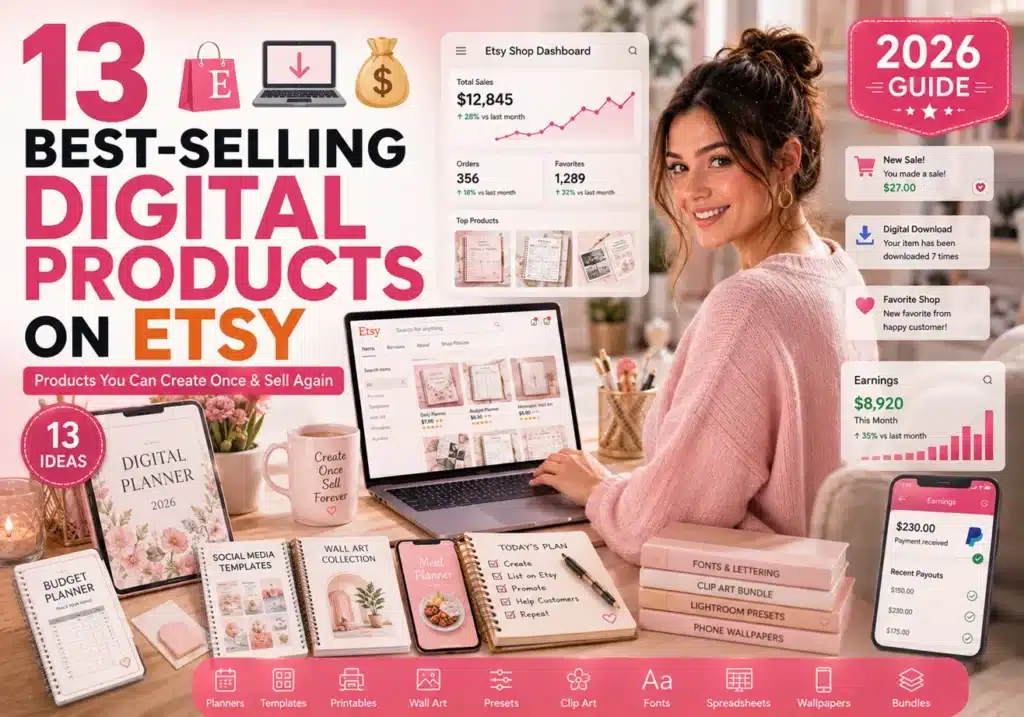
eBooks, printables, online courses, templates — these are perfect for Pinterest. Create once, sell on repeat. Pin a mockup or a preview and link straight to your sales page or Etsy listing. A $15 printable planner sold 200 times a month is $3,000 — from one product, with consistent traffic from a single well-ranking Pin. This is exactly the kind of passive income that earns while you sleep.
💰 Profit margins are nearly 100% since there's no inventory. One well-ranked Pin can drive sales for months or years.
Strategy 4 — Sponsored Pins and Brand Deals
Once you build an audience in a niche, brands will pay you to feature their products in your Pins. The average sponsored Pin pays around $1,450 — and that number goes up with your following. This is the long game on Pinterest, but it's a real one for creators who stay consistent.
💰 Micro-influencers typically earn $200–$500 per sponsored Pin. Established creators in popular niches can charge $1,000–$5,000+.
My pick for beginners: Start with affiliate marketing. You don't need a product, a store, or a huge following. You need good Pins and the right links — and you can have both set up today.
Step 3: Do Your Keyword Research
Pinterest is a visual search engine — and that means keywords matter. A lot. Most beginners guess keywords, or worse, use none at all — and then wonder why nothing gets traction. Without the right keywords, nobody finds your Pins. You can have the most beautiful Pin on the platform and it'll go nowhere without SEO.
How to find the right keywords — in the right order:
Pinterest autocomplete — type your topic into the search bar and look at the suggestions that appear. Those are real searches people are making right now — use them.
Pinterest Trends tool — free at trends.pinterest.com. See what's gaining momentum in your niche before you create, not after.
Top-performing Pins — search your topic and study the descriptions of the best-ranked Pins. Pay attention to the words they repeat — those are your keywords.
Once you have your keywords, use them in your Pin title, Pin description, board names, and even the text overlay on your image. Keywords in multiple places reinforce your topic signal to Pinterest's algorithm.
Pro tip: Don't just use broad keywords like "recipes." Go specific — "easy 30-minute weeknight dinners for busy moms" gets found by people ready to cook tonight, not just browsing. Specific keywords attract higher-intent searchers — and higher-intent searchers click and buy.
Step 4: Create Pins That Actually Get Clicked
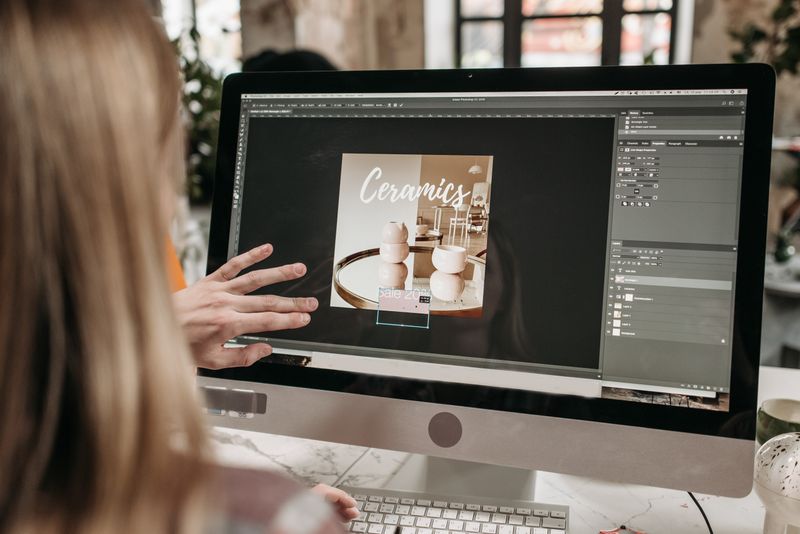
Your Pin is your storefront. If it doesn't stop the scroll, nothing else matters. A vague, pretty image gets ignored. A clear, benefit-driven Pin gets clicks. Good design and strong copy work together — you need both.
What works — and why:
- Use vertical images (2:3 ratio, 1000 x 1500px) — vertical Pins take up more screen space and get significantly more visibility than square or horizontal images.
- Add a clear text overlay — tell the viewer exactly what they'll get. "5 Ways to Make Money From Home" beats a pretty photo with no context every time.
- Use bright, high-contrast colors — soft pastels get lost in the feed. Bold visuals stop the scroll and trigger curiosity.
- Include a call to action — "Shop this look," "Get the recipe," "Grab your free planner." People don't click unless they know what happens next — spell it out.
- Create 2–3 versions of each Pin — different colors, fonts, or headlines for the same link. Some designs will outperform others, and you won't know which until you test.
Don't forget: Always fill in the destination URL field. A Pin with no link earns nothing. Every monetized Pin needs a destination — don't leave it blank.
FTC disclosure required: If you're using affiliate links, you must disclose that in your Pin description. Add a brief note like "This post contains affiliate links." It's a legal requirement — not optional.
Step 5: Post Consistently and Stay Seasonal
Consistency drives growth. Inconsistent posting kills momentum. Pinterest's algorithm rewards active accounts — if you post in bursts and then go quiet for a month, your reach drops fast. Aim for at least 3–5 fresh Pins per week — not repins, fresh content. This is one of the most important levers you control, and it's free to pull.
How to stay consistent without burning out:
- Batch your Pin creation — design a week's worth of Pins in one sitting. One focused hour beats seven scattered 10-minute sessions.
- Use Pinterest's native scheduler — queue Pins up to 30 days in advance so your account stays active even when life gets busy.
- Repurpose content — one blog post can become 3 different Pins with different images, headlines, or angles. You're not creating from scratch every time.
Pinterest users plan ahead — often 30–45 days before a holiday or season. That means your Christmas gift guide Pins should go live in early November, not December. Valentine's content starts in early January. Back-to-school starts in late June. Check Pinterest Trends regularly and plan your content calendar around what's coming — not what's already here.
Why this matters: Unlike an Instagram post that dies in 48 hours, a well-optimized Pin can drive traffic for months — even years — after you post it. The compounding effect is real, and it's what makes Pinterest different from every other platform.
Step 6: Track What's Working and Scale It
Most people post and hope. Earners track and double down. Pinterest Analytics is free and built into your business account — check it at least once a week. Three metrics are all you need to watch at the start.
📊 Impressions
How many times your Pin showed up in feeds or search results. High impressions with low clicks = a design problem.
🔖 Saves
How many people saved your Pin to their boards. High saves signal quality to Pinterest's algorithm — it will show your Pin to more people.
🔗 Outbound Clicks
This is the money metric. How many people clicked through to your link? This is the only number that directly drives revenue.
What to do with each signal:
- Strong outbound clicks → scale it. Make more Pins like it — same topic, same format, different image or headline.
- High saves → validate it. The content resonates. Drive more traffic to this topic.
- Impressions with no clicks → redesign it. The image isn't compelling enough or the CTA is missing. Fix and repost.
Also do this: Connect Google Analytics to your website so you can track which Pinterest traffic is actually converting into sales or email signups — not just clicks. Clicks are vanity. Conversions are money.
Step 7: Layer in a Second Income Stream
Once one strategy works, add another — relying on one makes your income fragile. One algorithm shift can wipe it out overnight. The Pinterest creators who earn the most don't rely on one method. They're combining affiliate marketing with digital products, or brand deals with a Shopify store. Multiple income streams mean one slow month won't wipe out your earnings.
A natural progression that works for most beginners:
Start with affiliate marketing — low barrier, immediate income potential. No product or audience required to begin earning.
Add a digital product — a printable, planner, or guide that your audience already wants based on what Pins they're clicking. Your analytics tell you exactly what to create.
Grow your audience and pitch brand collaborations — once you have a track record of engaged Pins, brands will pay for placement. You don't need millions of followers to get your first deal.
Think of it as a compounding system: affiliate marketing builds traffic — traffic reveals demand — demand becomes your product — product sales attract brand deals. Each step funds the next. If you want to see how this fits into a broader home income strategy, our guide to ways moms earn money without a traditional job covers complementary income streams that stack well with Pinterest.
Worth knowing: Two-thirds of Pinterest's own revenue now comes from driving actual sales — up from just one-third in 2022. The platform is leaning hard into commerce. That's a tailwind for anyone monetizing Pinterest right now.
One takeaway to remember:
Pinterest rewards clarity, consistency, and intent. Nail those three, and the income follows.
Now It's Your Turn
You've got the full roadmap — from setting up your account to stacking multiple income streams. Seven steps. No guesswork. No waiting for a perfect moment.
Pick one step and start today. Waiting is the only way this fails.
Which step are you starting with first? Drop a comment below — I read every single one.
Frequently Asked Questions
Can you make money on Pinterest without a blog?
Yes. You can use affiliate links directly in your Pins without a blog — just make sure your affiliate program allows direct linking, as some don't. Having a blog helps long-term, but it's not a requirement to get started. If you're starting from scratch with no blog and no product yet, affiliate marketing is where most beginners should point first.
How many followers do you need to make money on Pinterest?
Fewer than you think. Pinterest is a search engine, so your Pins get discovered through keywords — not follower count. Affiliate commissions and digital product sales can start with a small, engaged audience. Brand deals typically require more traction, but 1,000–5,000 engaged followers is enough to start landing micro-influencer deals.
Does Pinterest pay you directly for views?
No. Pinterest ended its Creator Rewards program in November 2022. The platform doesn't pay per view the way YouTube does. Your income comes from affiliate commissions, product sales, or brand partnerships — not from Pinterest itself. That's why your monetization strategy matters so much.
How long does it take to make money on Pinterest?
Most people see their first affiliate click or sale within 4–8 weeks of posting consistently with good SEO. Scaling to meaningful income takes 3–6 months. Pinterest is a slow burn — but the traffic compounds over time in a way that most other platforms don't replicate. The Pins you create today can drive income two years from now.
What niches make the most money on Pinterest?
The top earners are in food and drink, home décor, fashion, health and fitness, and personal finance. These match Pinterest's most-searched categories and attract buyers with high purchase intent. That said — any niche can work if your Pins are optimized and your links are relevant to what your audience is already searching for.
You Might Also Love
→ 19 Beginner Side Hustle Ideas You Can Start This Week
→ 23 Ways to Make Money From Home for Moms in 2026
→ 15 Smart Ways to Make Money for Teens in 2026
→ 19 Ways to Get Paid to Do Nothing: Real Passive Income Ideas