You’ve seen the “make money with Canva” posts. Vague. Recycled. Usually useless. This is the opposite.
I’ve analyzed top Etsy stores, tested these strategies myself, and cut everything that doesn’t work.
Here’s the truth — Canva has quietly become one of the most powerful tools for turning simple ideas into real, repeatable income from home.
And you don’t need to be a designer to make it work.
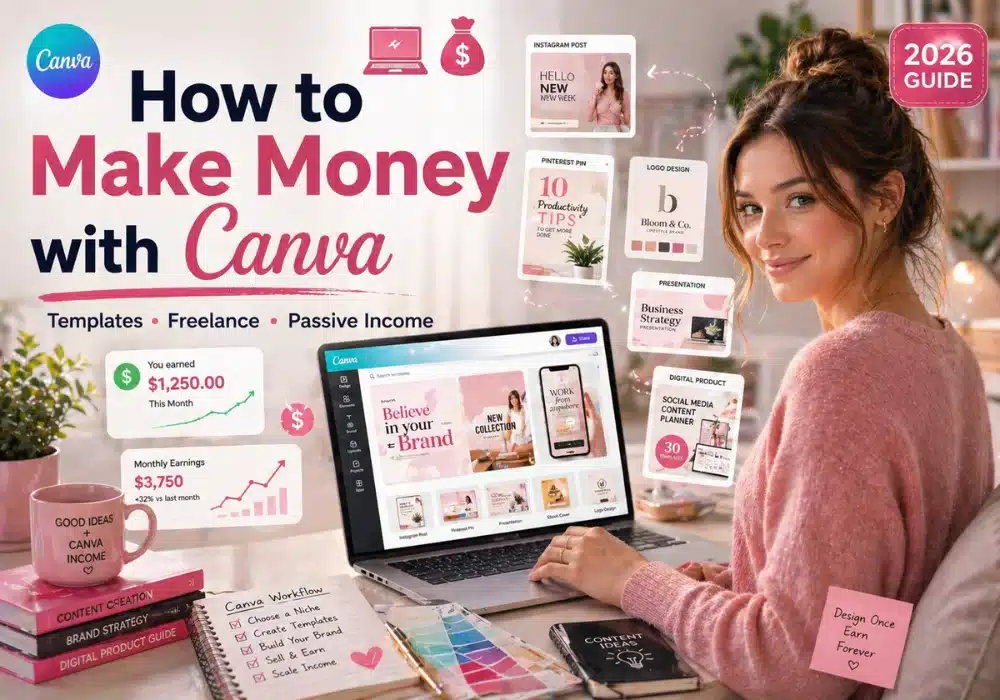
In this guide, I’m breaking down 15 ways people are genuinely making money with Canva right now.
They’re not theory — they’re working right now. (If you want more beginner-friendly ideas, check out our other proven side hustle strategies here).
Every method fits one of three paths — digital products, content, or services. Pick one. Go deep.
Pick one. Commit for 7 days. Don’t bounce.
1. Create and Sell Printable Wall Art on Etsy
Printable wall art is one of the easiest digital products to start with — and the demand is proven.
Top-performing Etsy shops in this niche have generated $50,000+ in sales. You create the design once, and it sells forever.
Here’s how to do it:
- Open Canva and search for “wall art poster templates”
- Customize the design — swap colors, fonts, and quotes
- Export using the “PDF for printing” option for vibrant, high-quality prints
- Upload to Etsy as a digital download
What wins here is niche humor — not generic quotes.
Think “therapy jokes for nurses” vs “live laugh love.” That’s the difference between a listing that sits and one that sells.
No inventory. No shipping. Just scalable, repeatable income.
2. Sell Self-Care and Wellness Printables
Mental health awareness is rising — and people are actively searching for tools to manage it.
Think ADHD planners, anxiety journals, habit trackers — these get searched every single day on Etsy and Pinterest.
Canva has ready-made worksheet templates you can customize in under an hour flat.
Start low to validate demand, then bundle and raise prices. A $5 planner today can become a $27 bundle next month.
(For more on creating planners, read our guide on selling digital products).

3. Launch a Print-on-Demand Store
You don’t need to hold a single piece of inventory with this model.
Here’s how it works — design in Canva, connect to Printify, sell on Etsy or eBay. When someone orders, Printify prints and ships it for you.
Expect lower margins per sale — but higher volume potential. This space is competitive, so strong designs and niche targeting matter.
Popular products to start with:
- T-shirts — create niche designs with Canva’s graphics
- Mugs — use Canva’s ready-made templates
- Candles — design labels (funny or sentimental sells)
4. Design and Sell Seamless Patterns
Seamless patterns are surprisingly profitable — and most people overlook them.
They look stunning on all-over print products like phone cases, tote bags, and leggings. Use Canva’s Magic Recommendation feature to find matching graphics from the same creator — so your designs stay cohesive, not chaotic.
Then use the grid feature to split and align your images into a perfect, continuous pattern. You don’t need design skills — just consistency in spacing and style. Upload to Printify and list on Etsy or Redbubble.
5. Sell Custom T-Shirts and Mugs
Custom products convert — especially personalized gifts.
Personalized mugs and shirts often sell for $15–$30+.
People pay good money for products with their name, their pet’s face, or a funny inside joke.
Create a base design in Canva, save it as a template, and swap in customer details when orders come in.
This workflow keeps things fast. You’re not starting from scratch every time.
6. Create Brand Identity Kits for Small Businesses
Small businesses need to look professional — but can’t afford agencies. That’s your gap.
Start by reaching out to small businesses on Instagram with outdated branding — they’re everywhere, and most haven’t updated their branding in years.
A brand identity kit includes a logo, color palette, and font pairing. You can sell these packages for $100 or more on platforms like Fiverr or directly through Instagram.
(Read our guide on making money with graphic design to learn more about pitching these services).
Pro Tip: Use Canva’s AI color palette feature to pull a perfect palette straight from a photo your client shares. Then reuse those frameworks across future clients to deliver faster and increase your margins.
7. Design Pitch Decks for Startups
Startups need polished pitch decks to win over investors — and funding depends on presentation. They’ll pay for clarity.
A solid 10–15 slide deck can earn you $200–$500 per project.
Canva’s presentation templates make it easy to build something that looks expensive without spending hours on it.
Use Canva’s built-in graph maker and chart generator to display data visually. Clients love when numbers tell a story.

8. Teach Canva Skills Online
If you know how to use Canva — you already have something worth teaching. Solve one specific problem better than beginners can.
Beginner Canva tutorials perform incredibly well on YouTube and Pinterest. Here’s the sequence that works:
- Start with content — free tutorials on YouTube or Pinterest
- Add affiliate links — Canva Pro + related tools
- Package into a course — once the audience is there
Build the audience first. The income follows.
9. Design Classroom Materials for Teachers Pay Teachers
If you have a background in education — this one’s a goldmine.
Teachers consistently pay for ready-made materials to save hours of prep time. Teachers Pay Teachers is a massive marketplace where educators buy and sell lesson materials — and Canva’s school lesson slide templates make it easy to create sellable materials.
A well-designed lesson pack can sell hundreds of times with zero extra effort from you. Design it once — earn from it for years.

10. Drive Affiliate Sales Through Pinterest
Pinterest is a visual search engine — and Canva is the perfect tool to dominate it.
Simple strategy:
- Design eye-catching pins in Canva using pre-made templates
- Link each pin to a blog post filled with affiliate products
- Earn a commission every time someone clicks and buys
Pins compound over time — unlike social posts, they can drive traffic for months. But not every pin converts — volume and testing matter.
Two pin styles that work really well:
- List pins — “10 vegetables that grow fast in small spaces”
- How-to pins — “how to create a budget in 5 steps”
Some creators bring in thousands of dollars a month with this strategy alone.
11. Create Quiz Videos for TikTok
Short-form video is exploding right now — and Canva’s video editor makes it surprisingly easy to get started.
Niche quiz videos perform incredibly well on TikTok. Think English learning quizzes, trivia, or fun personality tests. Hook viewers in the first 2 seconds — that’s where most videos fail.
Here’s the simple workflow:
- Use ChatGPT to generate quiz questions fast
- Drop them into a Canva video template
- Post on TikTok with links in your bio
The monetization path is straightforward — traffic flows to your bio link, bio link goes to a product, product earns you a commission. Repeat the loop. (Learn more about making money with TikTok here).

12. Make Quote Videos for TikTok’s Creator Program
Quote videos are quietly making creators serious money on TikTok.
Take trending quotes from popular movies, books, or Tumblr posts, layer an AI voiceover on top, and drop it into a Canva video template.
Stick to public domain or original quotes to stay safe — copyright issues can get your account flagged fast.
TikTok’s creator monetization programs pay out based on views. Some of these videos pull hundreds of thousands of views — and the payout follows.
You don’t need a camera. You don’t need to show your face. You need a good quote and a clean template.
13. Post “This or That” Videos on YouTube and TikTok
“This or That” videos are one of the most watched formats on short-form platforms right now.
Think “choose your gift” videos where viewers pick between two options.
Here’s how to make one — pick a Canva template, add two options side by side, and reveal a winner after a short delay. Addictive. Shareable. Easy to build.
Here’s why this works on platforms like YouTube Shorts:
- High watch time — viewers stick around to see the reveal
- High shareability — people tag their friends
- Ad revenue potential — more views means more earnings
Build a few of these and post consistently. The algorithm rewards it.
14. Offer Social Media Management Services
Small business owners are drowning in content creation — and most hate it.
You can step in and manage their social media using Canva. Design their posts, schedule them, and charge a monthly retainer. Rates typically range from $300 to $1,000 per month per client.
You only need:
- A Canva account
- Basic brand knowledge
- Consistency
Track results and report wins monthly — that’s what keeps clients around long-term.
This is one of the most beginner-friendly freelance services out there. And the demand is not slowing down.

15. Create and Sell Canva Templates
This is one of the highest-leverage plays with Canva — and more beginner-friendly than it seems.
Bundle templates into systems — not singles — to increase perceived value. A “complete Instagram kit” sells better than one post template.
Designers and non-designers buy these every single day — for resumes, social media posts, business cards, and more.
Sell them on:
- Etsy
- Creative Market
- Your own website
Price from $5 to $47. Low ongoing work — but it requires upfront effort and occasional updates to stay competitive.
The Bottom Line
You’ve seen 15 proven ways. Some scale. Some pay fast. All work.
Pick one path — digital products, content, or services — and go deep.
The real leverage comes from creating once and distributing infinitely.
There’s no perfect starting point — there’s only the one that fits your life right now.
Your move — which of these 15 will you try first?
Drop it in the comments. I’ll point you in the right direction if you’re stuck.

Frequently Asked Questions
Can I really make money with Canva as a complete beginner?
Yes — and no design degree needed. Canva’s drag-and-drop interface is built for non-designers. Expect $50–$300 in your first few months — that’s the validation phase, not the scaling phase. Start with one method and get consistent.
Do I need Canva Pro to make money?
No. Free and Pro both have real earning potential. Pro unlocks more graphics and features — but it’s not a requirement to start.
Can I legally sell designs I make in Canva?
Yes — with rules. Templates can be used as a base, but your final design must be meaningfully original. You can use Canva’s graphics commercially as part of a design — but you can’t resell them on their own.
How much can I realistically earn with Canva?
It depends on your method and effort. Focused creators earn $500–$2,000+ per month once established. Passive methods like templates and printables take time to build — but pay off long term.
What’s the fastest way to start making money with Canva?
Freelance services. Brand kits, social media management, or pitch decks can land you a paying client within days. Passive income takes longer — but earns while you sleep.
What is the Canva Creators Program?
It pays you for designing templates inside Canva. You earn based on how many times other users engage with your designs. Apply through Canva’s Creator portal — focus on underrepresented niches to get an edge early.